|
Note: This article contains information about UltiMaker 2.85 mm PETG material. Similar quality cannot be guaranteed with third-party filaments. This material can be used on the UltiMaker 2+ Connect, 3, S Series, and Factor Series, but is not compatible with the Method, Sketch, or Replicator.
UltiMaker PETG is a glycol-modified version of Polyethylene Terephthalate (PET). It has the same reliable printability as PLA but with enhanced toughness, chemical resistance, wear resistance, and temperature resistance (up to 75 °C). It is therefore the go-to material for 3D printing in industrial environments for functional prototypes and manufacturing aids.
UltiMaker PETG is available in the following colors:
- Black
- White
- Gray
- Silver*
- Transparent*
- Blue
- Blue Translucent*
|
- Red
- Red Translucent*
- Green*
- Green Translucent*
- Yellow
- Yellow Fluorescent*
- Orange*
|
| 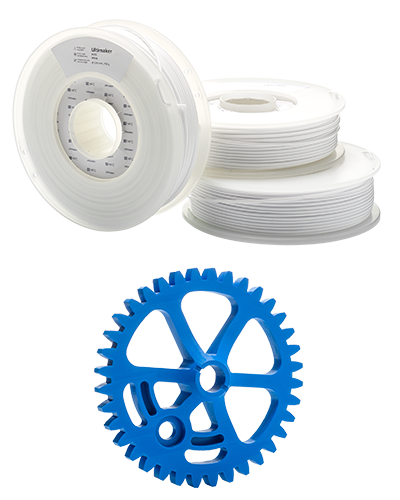 |
Note: The colors marked with * have been phased out. Spools are available while supplies last. For the remaining colors (Black, White, Gray, Red, Blue, and Yellow), there is currently a stock shortage; UltiMaker is taking steps to resolve this as soon as possible.
In this article:
- Compatibility: Information about printer, print core, and dual material compatibility
- Printing recommendations: Overview of the advised temperatures, adhesion, and orientations
- Maintenance and troubleshooting: Advice for printer maintenance and material storage
- Health and safety: Important information about printing safely with UltiMaker PETG
|
Related articles for UltiMaker PETG:
|
Compatibility
UltiMaker PETG can be printed on the Factor Series, S Series, UltiMaker 3, and UltiMaker 2+ Connect. On UltiMaker 3D printers that use print cores, you print PETG with the AA or AA+ variant.
| Printer | Compatible print cores and nozzles |
|---|
| UltiMaker Factor 4+ | AA+ 0.4, AA 0.25 (experimental), AA 0.4 (experimental), AA 0.8 (experimental) |
| UltiMaker Factor 4 | AA 0.25, AA 0.4, AA 0.8 |
| UltiMaker S6 and S8 | AA+ 0.4, AA 0.25 (experimental), AA 0.4 (experimental), AA 0.8 (experimental) |
| UltiMaker S3, S5, and S7 | AA 0.25, AA 0.4, AA 0.8 |
| UltiMaker 3 series | AA 0.25, AA 0.4, AA 0.8 |
| UltiMaker 2+ Connect | 0.25, 0.4, 0.6, 0.8 |
Printer and print core compatibility notes
- UltiMaker PETG and optimized printing profiles were added to Cura in version 4.9.1. This is the minimum version to slice for UltiMaker PETG, but it is always recommended to use the latest version of Cura to prepare your models.
- UltiMaker PETG has optimized settings for the Pro Bundle (including the Air Manager and Material Station). This ensures a good end-of-filament and end-of-print experience in the Material Station and an optimal build environment with the Air Manager. Please make sure to use the latest version of UltiMaker Cura and keep the printer's firmware up to date.
- For the high-speed printers running the Cheetah motion planner (UltiMaker S6, S8, and Factor 4+), the AA+ 0.4 print core is preferred; profiles for the standard AA print cores are experimental.
- UltiMaker PETG is not officially supported on the UltiMaker 2+ series, UltiMaker 2 series, or UltiMaker Original series; no profiles have been developed for these machines. The best way to use PETG on the Ultimaker 2 or 2+ is by selecting CPE as the base profile and adjusting the print temperature to 245 °C and the build plate temperature to 85 °C. Read more about how to make custom materials for the Ultimaker 2(+) on this page.
Dual material combinations
On dual-extrusion UltiMaker printers (Factor, S, and UltiMaker 3 Series), PETG can also be printed in combination with support materials or other build materials. See the overviews below:
|
Support materials:
- PVA
- Breakaway
- Self-support (PETG)
|
Dual combinations:
- PETG (dual color)
- PPS CF (PETG is recommended as a support material for PPS CF)
- TPU 95A (experimental)
|
Note: The experimental and not supported combinations have not been verified, since limited use cases are available. Results are dependent on the model type that is used. The combination of PETG and TPU 95A is experimental, because of the potential oozing of TPU 95A in dual prints.
Printing recommendations
Printing with UltiMaker PETG is simple and reliable when using the default profiles available in UltiMaker Cura.
Tip: Always use the latest version of UltiMaker Cura and make sure that your 3D printer is updated with the latest firmware version to include the correct material profile for UltiMaker PETG.
Cura profiles
UltiMaker PETG supports intent print profiles. The Visual profile focuses on surface quality (for PETG specifically: reduced stringing and optimal overhangs), the Engineering profile is optimized for enhanced Z strength, and Draft produces quick prints. The Balanced profile offers a good compromise of all settings.
Note: Different intent profiles may be available depending on the selected printer and print core. No intent profiles are available for the AA 0.25 print core.
Temperatures
PETG prints at nozzle temperatures between 225 °C and 245 °C. Depending on the selected printer, nozzle size, and profile in UltiMaker Cura there are small differences in the nozzle temperatures. These have been optimized to print properly with the selected print core or nozzle size and layer height profile. The build plate temperature is set to 85 °C for reliable adhesion.
Tip: The temperatures are automatically set correctly based on the printer, nozzle size, and profile you select in UltiMaker Cura.
Adhesion
To ensure reliable adhesion to the glass build plate and to reduce the chance of glass chipping, a thin layer of UHU glue should be applied to the glass plate. No glue is required to print on the flexible build plate of the Factor and S Series printers.
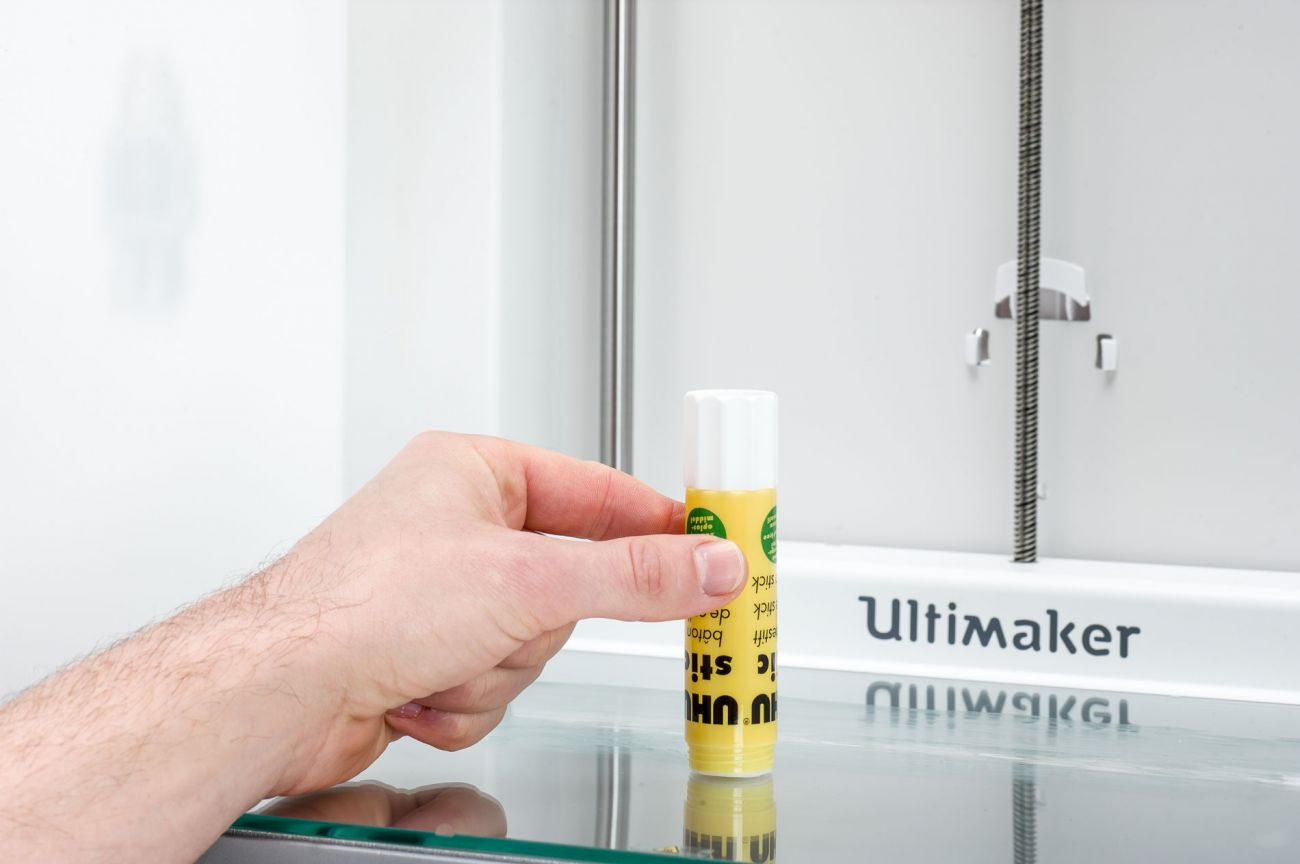
Caution: The addition of glue is recommended to improve adhesion and thereby prevent the chance of print failure and printer damage. Additionally, the use of glue can prevent over-adhesion which could otherwise lead to damage to the build plate.
In UltiMaker Cura, the default build plate adhesion type for all PETG profiles is a brim. A brim is made of extra lines printed around the perimeter of the initial layer of your 3D print to ensure successful adhesion to the build plate, even for larger models.
Once the 3D print has finished, always let the build plate cool down completely before removing the print. PETG uses a build plate temperature of 85 °C; the display of Factor and S Series printers will show a warning bar until the build plate has cooled down below 60 °C, but it is recommended to wait until the plate has cooled down fully to make print removal easier and to prevent deformation.
Print environment
PETG is an easy-to-print material and therefore does not require additional accessories to create a stable printing environment. However, on the UltiMaker 3, you can use the front enclosure from the Advanced 3D Printing Kit to obtain more consistent and reliable 3D prints. For the UltiMaker 2+ Connect, a front enclosure is included with the Air Manager. For the Factor and S Series printers, keep the door(s) closed during printing.
Maintenance and troubleshooting
For the best results with UltiMaker PETG (as with any material), apply general maintenance to your UltiMaker printer(s). Find the recommended preventive maintenance schedule for your printer type here:
The AA and AA+ print cores don't generally need preventive cleaning with the hot and cold pull procedure. However, it can help to clean the print core when switching to or from a material that requires a very different printing temperature to prevent clogging.
When the filament is subjected to moisture, the filament should be dried at 40 °C for 4–8 hours, depending on the moisture level. Always ensure to properly store the spools when not in use. Place the spool in a resealable bag, in a cool and dry place, and out of direct sunlight.
For a reliable loading process, especially when using the Material Station, ensure the filament has a clean, pointy tip. Use cutting pliers or wire cutters to remove any bent or damaged sections from the end of the spool, then cut the filament at an angle. A double cut will create a sharp tip that feeds smoothly.
Health and safety
UltiMaker PETG emits low levels of gases and particles when 3D printed in accordance with the recommended temperatures mentioned above. To ensure a comfortable and healthy working environment, we recommend 3D printing in a well-ventilated area.
Tip: For more information, download the safety data sheet for UltiMaker PETG here.
Caution: PETG uses medium temperatures for both the nozzles and build plate; never reach inside the printer while it is in operation, and never touch heated components.


