The print core type CC is specially designed to print with composite materials on S series printers. The first version of the abrasion-resistant print core was the print core CC Red 0.6. The design of the print core was updated and released in July 2021. The CC 0.6 replaced the CC Red 0.6, and the new CC 0.4 print core was introduced.
The new design is produced more efficiently and features updated components that are more robust, making the new CC print core more durable and reliable.
Technical differences between CC and CC Red
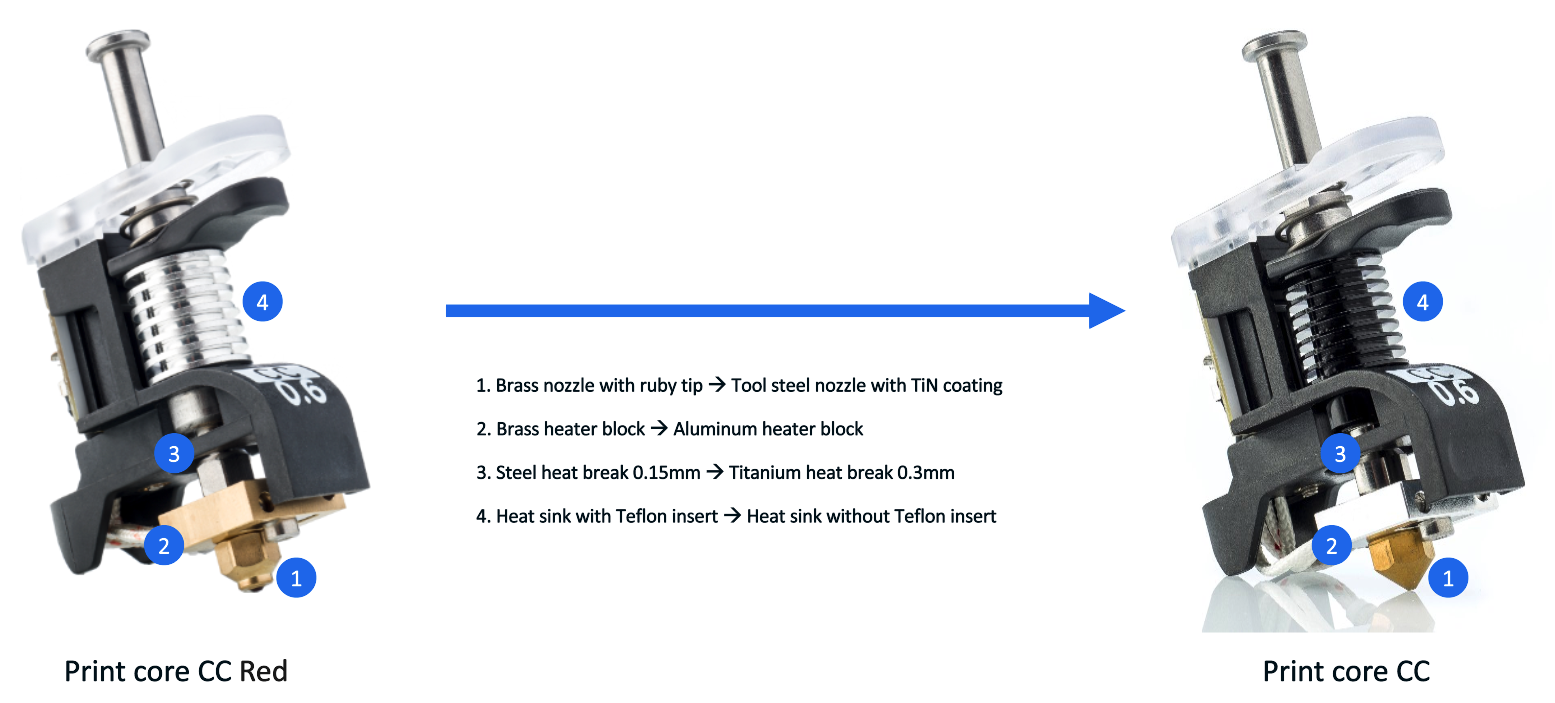
The CC Red 0.6 print core and the new CC 0.6 print core have the following differences:
| | Print core CC Red (old design) | Print core CC (new design) |
| Nozzle | Brass nozzle with ruby tip | Tool steel nozzle with TiN coating |
| Heater block | Brass heater block | Aluminum heater block |
| Heat break | Steel heat break, 0.15 mm thickness | Titanium heat break, 0.3 mm thickness |
| Heat sink | Aluminum heat sink with Teflon insert | Aluminum heat sink (black) without Teflon insert |
Differences between CC 0.4 and CC 0.6
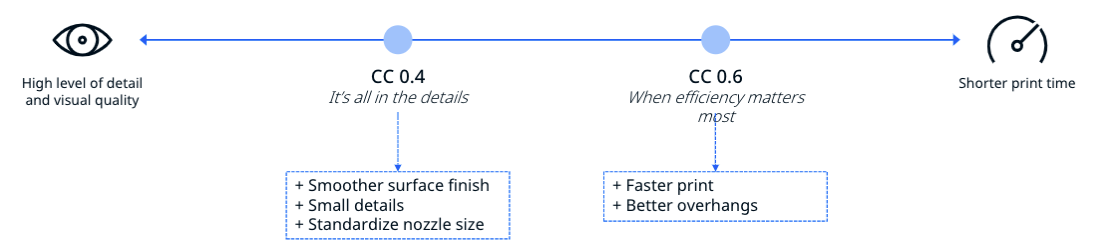
Additionally, a CC 0.4 print core was introduced in July 2021. The CC 0.4 print core prints with smaller line widths and by default both with 0.15 and 0.2 mm layer heights. This enables users to print composite applications with higher visual quality and smoother surface finish, while the CC 0.6 print core leads to shorter print times. With large overhang angles, the CC 0.6 print cores could produce better overhang quality.
Different heater cartridges
In March 2023, the heater cartridges used in the CC print cores were changed from 25 W to 30 W. This change was implemented to resolve rare heating issues with specific materials. In combination with some carbon or glass-filled materials, the print core was unable to maintain a stable temperature at its maximum output, which could cause heater errors (ER31).
The change was implemented silently, meaning no part number changes. There are also no programming or profile changes. The 30 W print cores CC 0.4 and 0.6 can be recognized by a white marking on the housing, or white shrink sleeves on the heater wires at the back.
If you experience frequent heater errors while using the CC cores, first ensure that the nozzle cover is properly installed and try drying the material (see the Marketplace for material-specific recommendations). If the errors persist, please contact support or your local reseller. Include your log files and mention the material type.
Additional information
To learn more about the CC print cores, visit the following support articles:


