The Advanced 3D Printing Kit contains several parts and add-ons to make your Ultimaker 2+ or Ultimaker 2 Extended+ even more reliable. The included items minimize downtime and significantly increase the success rate, even with the most difficult-to-print materials.
This kit is mainly recommended in combination with engineering materials, although other materials will also benefit from it.
On this page, you will find everything you need to know about the Advanced 3D Printing Kit.
What’s included?
The Advanced 3D Printing Kit contains the following items:
- 1x Front enclosure
- 25x Adhesion sheet
- 2x 0.4 mm nozzle
- 2x TFM coupler
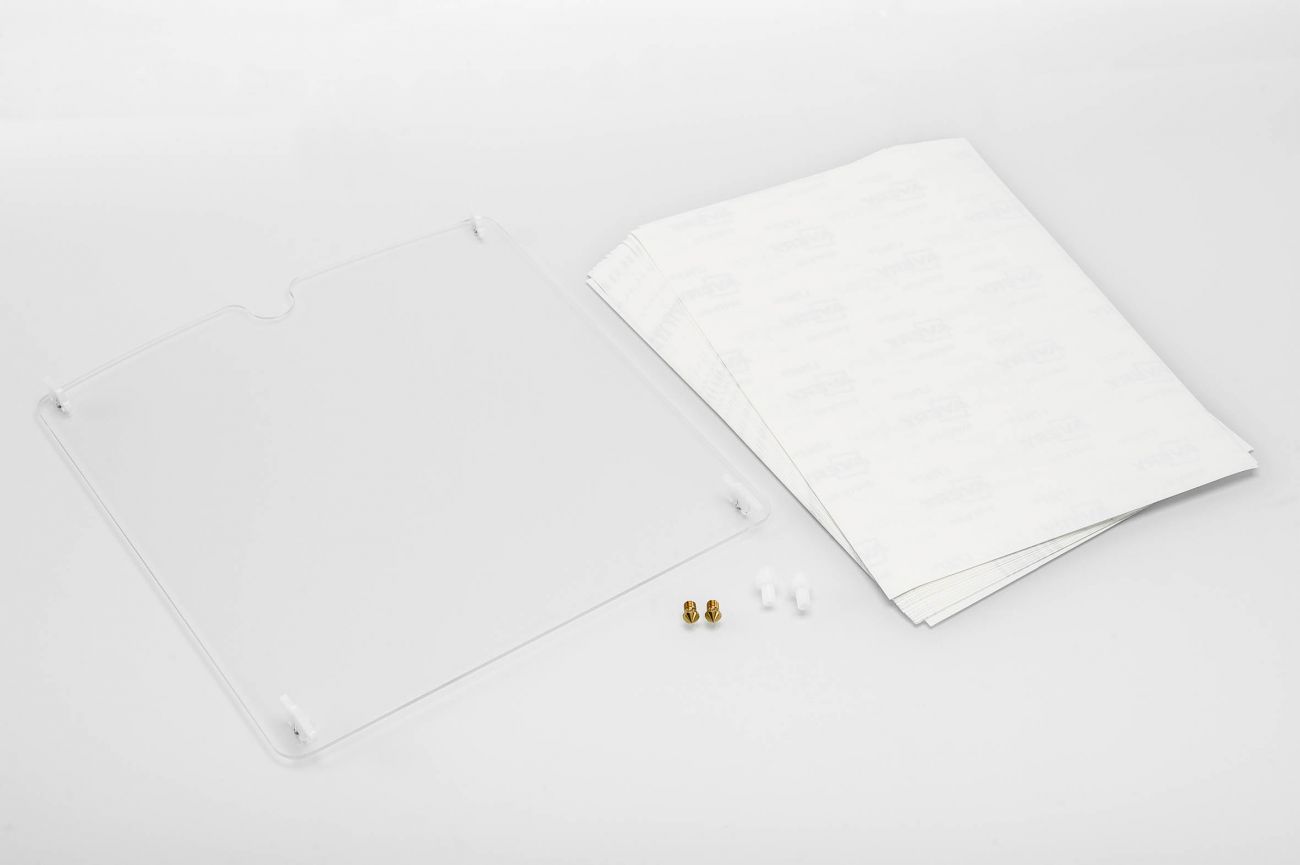
Front enclosure
The front enclosure is very effective when printing with materials that are prone to warping and delaminating. This front enclosure keeps the warmth from the heated bed inside the printer and protects the print from external influences, consequently creating a stable environment with a constant temperature of 45 °C.
Because of this, the printed material will cool down slower and the temperature is more equal throughout the print. This leads to lower shrinkage and a decreased chance of warping and delamination.
You can find instructions on how to install the front enclosure here:
How to install the front enclosure for the Ultimaker 2+
Adhesion sheets
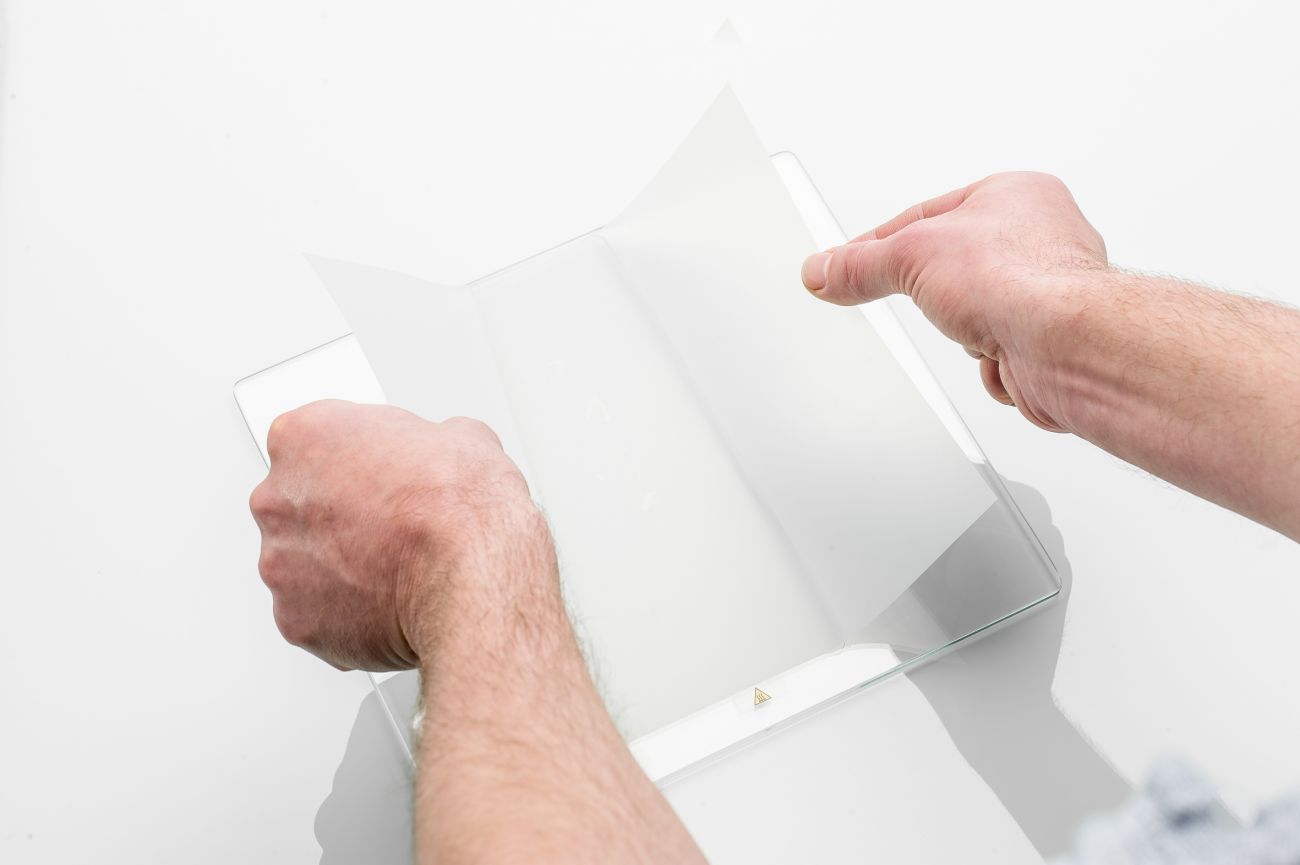
The adhesion sheets can be used for most materials to improve adhesion to the build plate. They replace the glue stick and can be used multiple times. It is important that the sheet is applied correctly to prevent air bubbles and to ensure a flat printing surface. You can find instructions on how to apply the sheet here:
How to use adhesion sheets
Nozzle
If your nozzle has become blocked and cleaning it with the hot and cold pull method no longer helps, you need to replace your nozzle. Or perhaps you prefer to use a different nozzle for the different materials you want to work with. Instructions on how to replace the nozzle on the Ultimaker 2+ can be found here:
Change the Ultimaker 2+ nozzle
TFM coupler
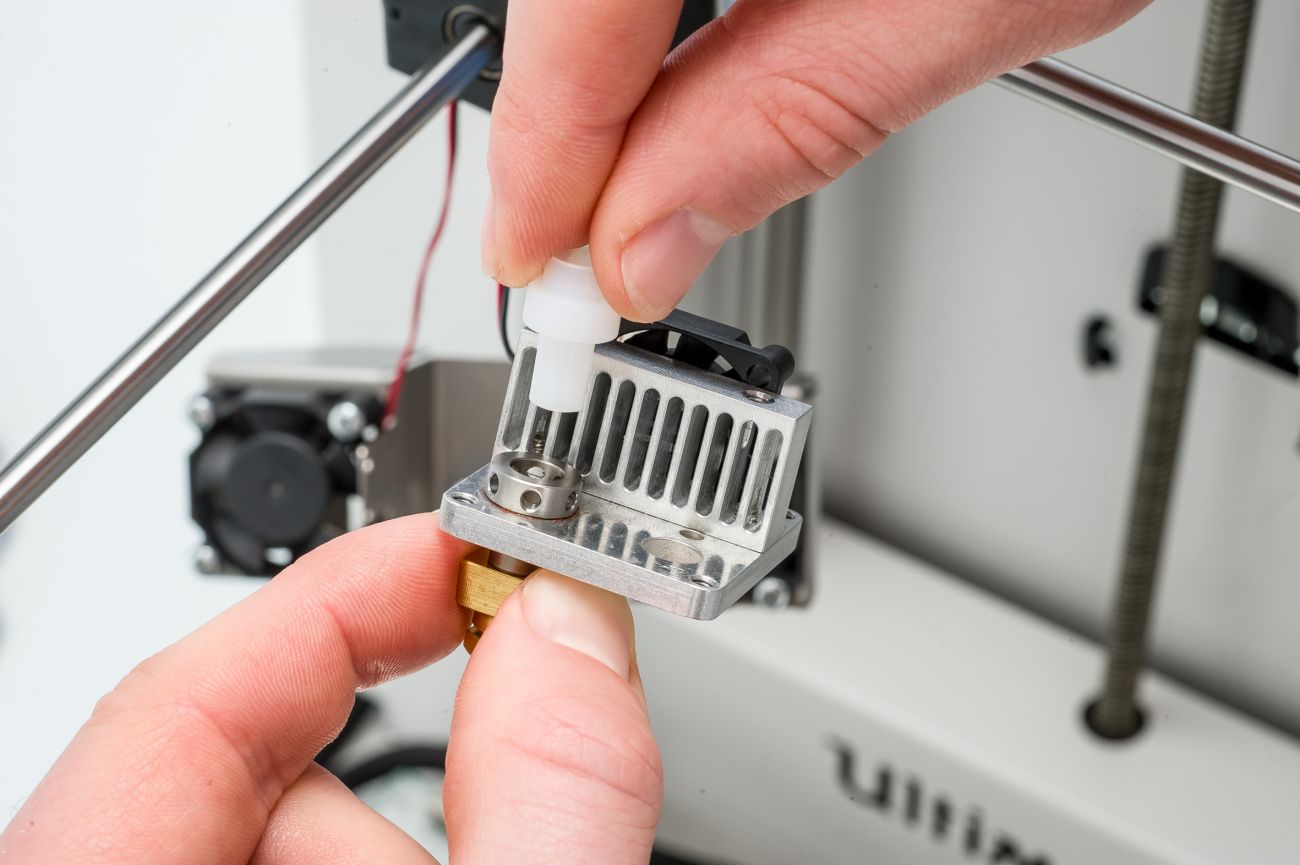
Most engineering materials print at higher temperatures. This could decrease the lifespan of the TFM coupler. There are two new couplers included in the Advanced 3D Printing Kit, to minimize your Ultimaker’s downtime when the TFM couplers are due for a replacement. Instructions on how to replace it can be found here:
Replace the Ultimaker 2+ TFM coupler
When to use the Advanced 3D Printing Kit?
The Advanced 3D Printing Kit can be used in combination with all Ultimaker filaments, although the benefits are greater for some materials than for others. See the table below for an overview of the compatibility and advice:
| Material | Front enclosure | Adhesion sheet |
| PLA | Optional | Optional |
| ABS | Highly recommended | Optional |
| CPE | Optional | Optional |
| CPE+ | Highly recommended | Recommended |
| PC | Highly recommended | Highly recommended |
| Nylon | Optional | Optional |
| TPU 95A | Optional | Not advised |
| PP | Recommended | Highly recommended |
Front enclosure
The use of the front enclosure is strongly advised for most filaments that print at higher temperatures and which are likely to have problems with layer bonding. Because the front enclosure controls the temperature inside the printer, it prevents delamination and improves the surface quality of the prints.
For the other materials (PLA, CPE, Nylon, and TPU 95A) the front enclosure is not necessary but can be used optionally. The use of the front enclosure will not negatively impact print quality and may even lead to more reliable print results.
Adhesion sheets
The adhesion sheets are (highly) recommended for CPE+, PC, and PP. These materials require a bed temperature of 110 °C, but despite this high temperature may still have problems with adhesion to the build plate.
For most other materials the sheets are optional as they replace the use of the glue stick. Only for TPU 95A, we advise against printing on the adhesion sheet; this material simply sticks too well to the sheet, and removing the print from the platform is extremely difficult.


