Product notification
This product has been discontinued, and its end-of-service date has passed. While it is no longer supported, the information on this page is still available for your reference.
|
During the welcome setup of the Ultimaker 3 or Ultimaker 3 Extended, you will be prompted to connect your printer to a network. This enables features such as remote printing and monitoring.
Tip: If you skip the network connection during the welcome setup, or if you want to connect to a different network later, you can always find the network options in the SYSTEM overview in the Ultimaker 3 menu.
Ethernet
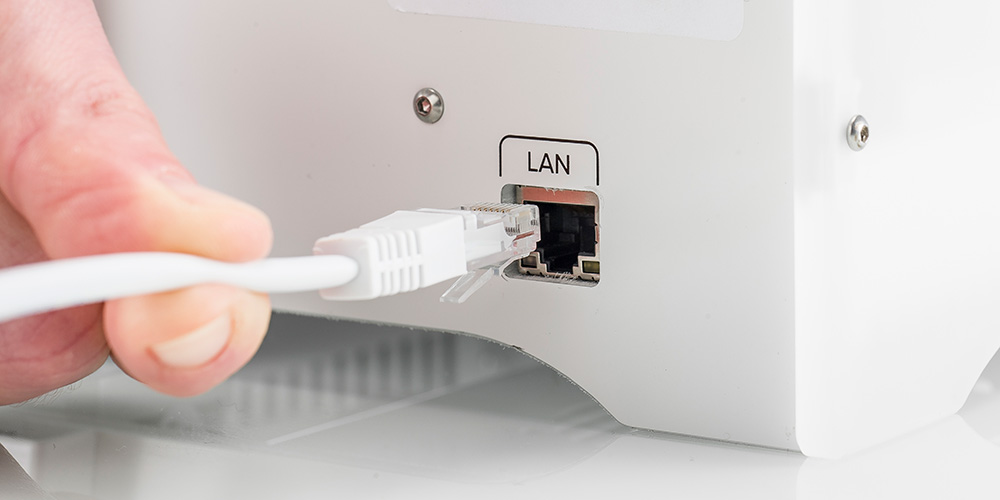
To connect your printer via the Ethernet cable, simply connect one end of the cable to the port at the back of the printer, and the other side to a network source (router, modem, or switch).
Wi-Fi
To connect your printer to a wireless network, you will need a computer or smartphone.
Wait until your Ultimaker 3 has created a Wi-Fi hotspot. This can take a minute. The name of the network is shown on the display of the Ultimaker 3. Use your computer or smartphone to connect to it.
A pop-up will appear on the display of your computer. Follow the steps to connect the Ultimaker 3 to your local Wi-Fi network. The pop-up will disappear when you have completed these steps.
Tip: If the pop-up does not appear, open a browser and go to a website that is not yet known by your browser.
You can always rerun the Wi-Fi setup. In the Ultimaker 3 menu, navigate to System → Network → Run WiFi setup. You can do this if you want to connect to a different network, or if the Wi-Fi setup was not successful. If you are having trouble connecting your Ultimaker 3 to the network, visit this page for more information about setting up a network connection.
Firmware
When the network connection is successful, in the next step of the welcome setup, the printer will check if the latest firmware is installed. If a new version is available, you will be prompted to download and install it. Learn more about the Ultimaker 3 firmware here.
Note: Because the UltiMaker 3 is discontinued, the firmware for this printer is no longer in development; no new versions will be released.
Digital Factory
The Ultimaker 3 can be connected to the UltiMaker Digital Factory, using your Ultimaker Account. This will give you access to unique features.
Tip: Learn more about getting started with Digital Factory in this article.


