Product notification
This product has been discontinued, and its end-of-service date has passed. While it is no longer supported, the information on this page remains available for your reference.
|
The Bowden tubes guide the filament from the feeders to the print head of the UltiMaker 3. Over time, the inside and outside of the tubes may have become scratched. This can cause print quality issues, or the tubes are not held securely in place anymore.
It is recommended to check the surface quality of the Bowden tubes at least once a year, or when experiencing issues, such as extrusion problems or the Bowden tube slipping out of the feeder.
Inside of the Bowden tube
Forwarding improperly cut or ground down filament through the Bowden tube could scratch or damage the inside of the tube. If this happens, the filament can no longer be forwarded to the print head smoothly. This can lead to under-extrusion or other print quality issues.
To check the tubes, unload both materials. To inspect them better, you may have to clean the Bowden tubes first. Check if you see any visible scratches on the inside of the tubes.
Additionally, you can remove the Bowden tubes from the print head and feeder side and push a length of filament through manually. If you feel excessive friction or obstructions somewhere along the tube, this is an indication that it should be replaced.
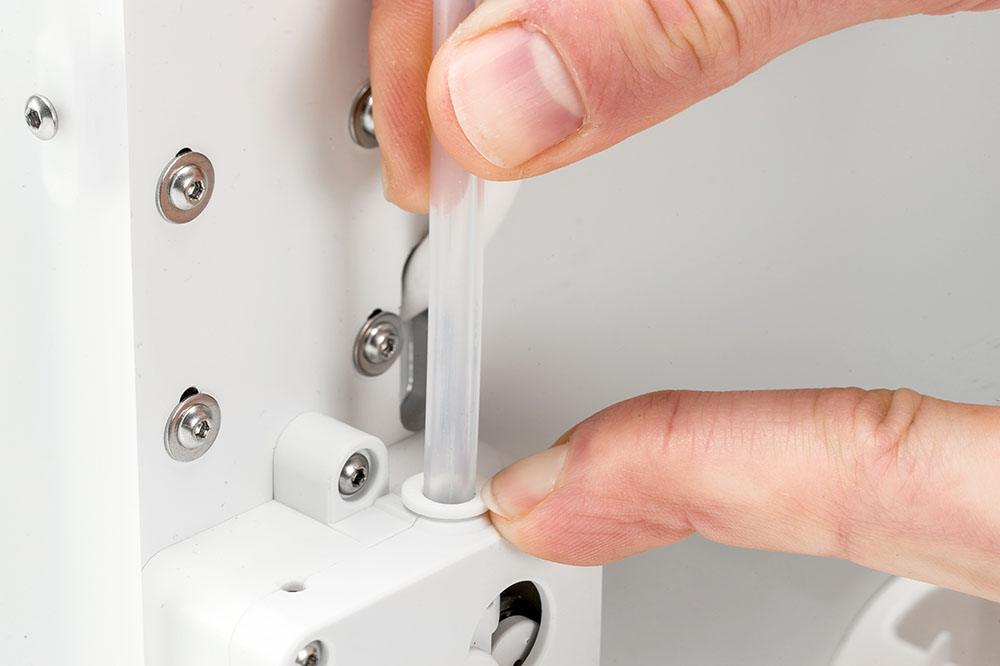 | 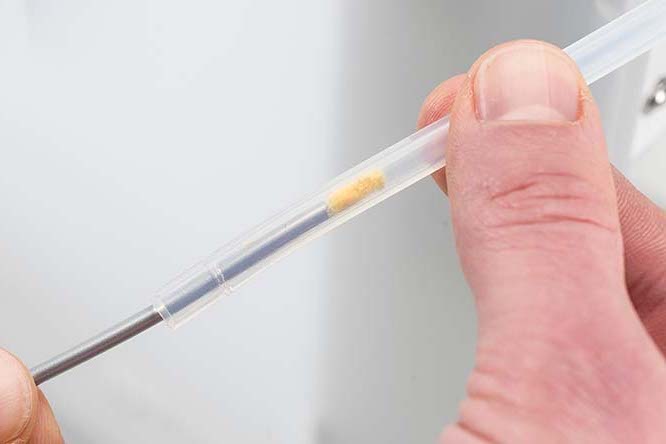 |
|
Removing the Bowden tube
|
Cleaning the Bowden tube
|
Outside of the Bowden tube
After removing a Bowden tube multiple times, the tube coupling collet can leave scratch marks on the outside of the tube. This can reduce the collet's grip on the outside of the Bowden tube. In this case, the Bowden tube can slightly move up and down during printing and retractions, which negatively impacts the print quality. It may also lead to the Bowden tube coming out of the feeder.
With the Bowden tubes installed and secured with the clamp clip, pull each Bowden tube above the feeder as well as the print head. The tube should remain securely in place. If there is noticeable play (> 0.5 mm), inspect the surface more closely:
Remove the Bowden tubes from the print head and feeder sides. Inspect the surface where the collet grips the tubes. It is normal that there is a small ridge or line visible. However, if the surface looks very rough or worn down, it is recommended to replace the Bowden tube.
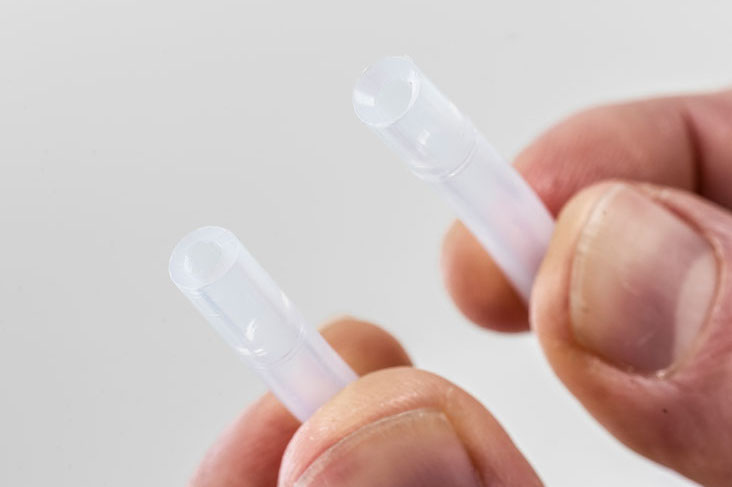
Tip: Use the black clamp clip on the feeder for a more secure grip on the Bowden tube. The UltiMaker 3 originally used only white clamp clips, but the Bowden packs now include one white clip (for the print head side) and one slightly thicker black clip (for the feeder side). If you do not have any of the black clips, you can print a replacement yourself: STL file
Replace the Bowden tubes
If you have determined that the Bowden tubes should be replaced, follow the instructions here: UltiMaker 3 - Replace the Bowden tubes


