The Material Station has a built-in dehumidifier. The dehumidifier controls the humidity inside the Material Station. Silica beads absorb the moisture in the chamber to keep the material spools in a stable environment. The dehumidifier will regenerate the silica beads when the humidity becomes too high.
Tip: The information in this article applies to the S series Material Station (for the Pro Bundle setup) and Factor 4, which features an integrated Material Station. The dehumidifier is the same, although the humidity control can be different between the models; these are indicated where relevant.
The dehumidifier can only operate and regenerate if power is supplied to the Material Station. If the Material Station has been unplugged for a long period, the dehumidifier can take longer than usual to reach stable conditions.
Note: It is not recommended to store (moisture-sensitive) materials in the Material Station if the power cable is disconnected.
The S series Material Station will turn on as soon as the power cable is connected; it does not have a separate switch. On Factor 4, the Material Station module shares the power supply with the printer and will only be on if the printer is powered on.
If a problem is detected with the humidity control, the printer will show ER67 or ER68. Both errors can be dismissed temporarily, but they do require attention to preserve material quality. For more information, click the error links above, or visit this page:
Material Station - Dehumidifier issues
Frequently asked questions
Tip: If the accordions do not expand when you click on them, please refresh the page.
Which maintenance actions are required for the dehumidifier?
The dehumidifier is a self-generating device and does not need any maintenance. The silica beads inside the dehumidifier will absorb moisture from the Material Station. When these are saturated, the Material Station will automatically initiate a heating cycle for the dehumidifier. This dries the beads and expels the moisture out of the back of the Material Station via the exhaust.
Where is the dehumidifier?
The S series and Factor 4 use the same dehumidifier, but the Material Station assembly differs slightly.
S series
The dehumidifier is hidden in the back compartment of the Material Station. It is not normally visible, except for the exhaust at the back. It is not normally necessary to access the dehumidifier, but if this is required, the top plate of the Material Station must be removed.
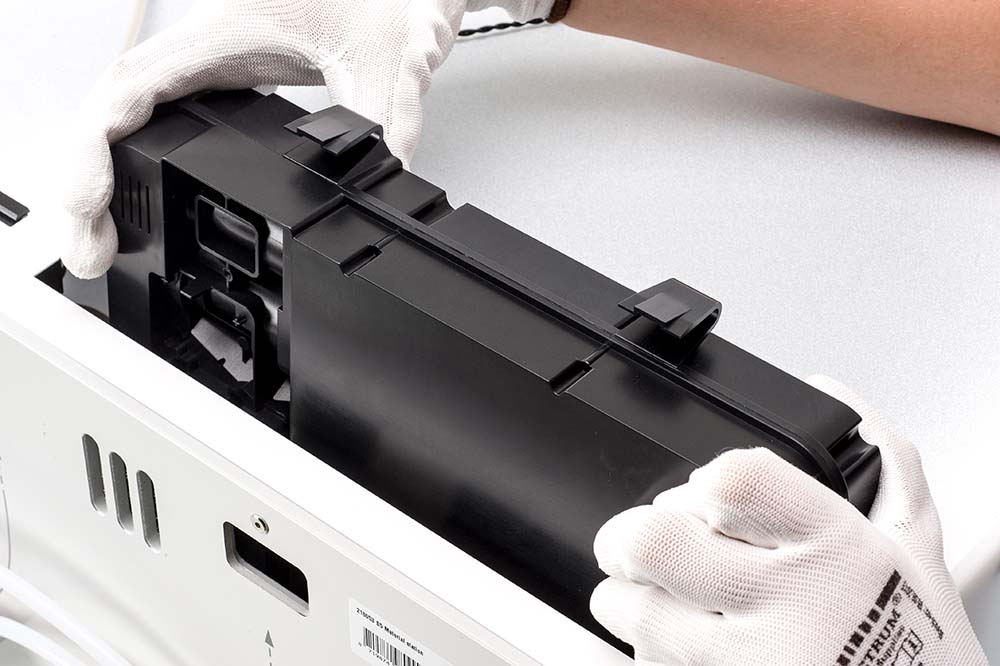 | 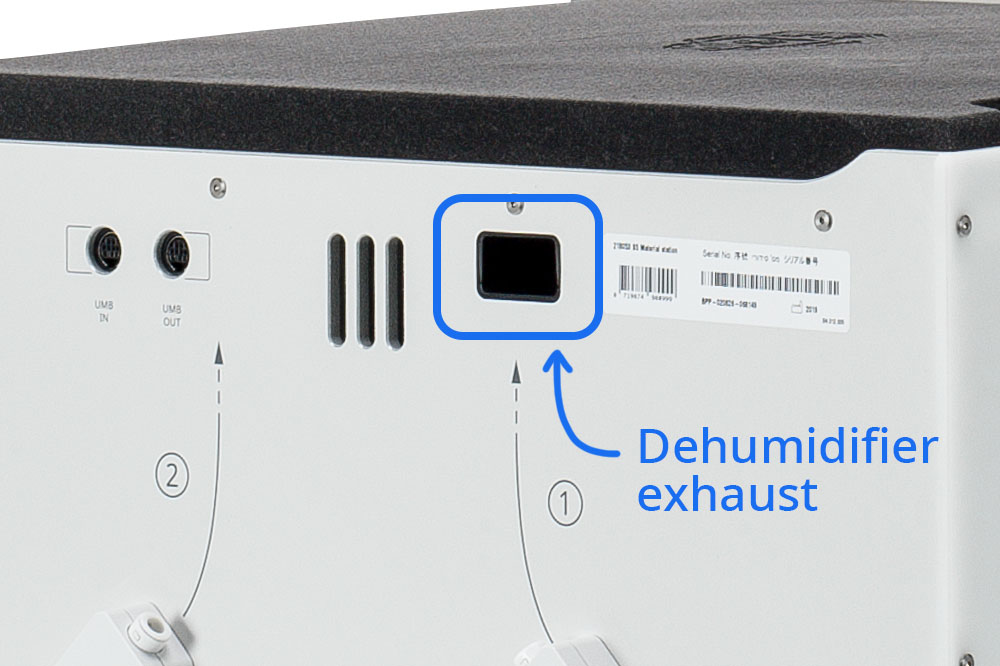 |
| The dehumidifier is inside the Material Station at the back | The dehumidifier exhaust is at the back of the Material Station, next to the serial number sticker |
Factor 4
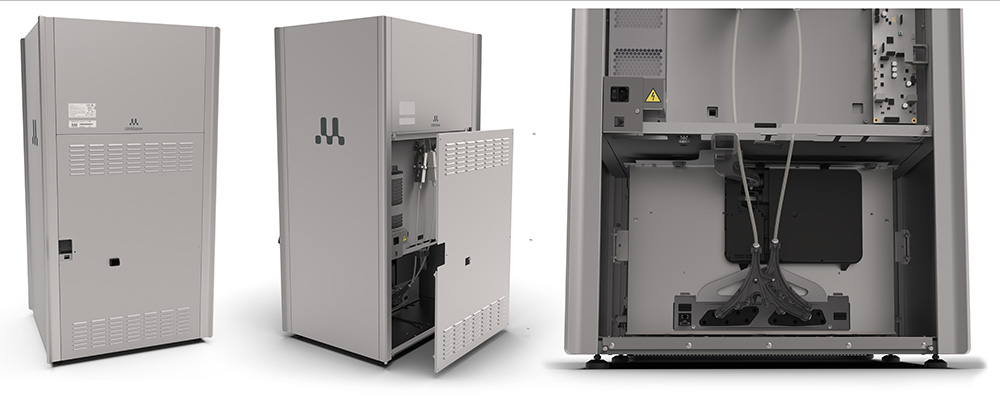
On Factor 4, the dehumidifier is at the back of the Material Station module. It is not normally visible, only if the back cover panel is removed. The exhaust opening is at the back, toward the middle of the back cover panel. Ensure to keep this exhaust opening free, with at least 10 cm behind it for unrestricted airflow.
When back cover panel is removed, you can see the dehumidifier in the bottom section, behind the mergers and Bowden tubes.
Where is the humidity sensor?
The humidity sensor measures the relative humidity inside the Material Station. It is located on the top panel. On the S series Material Station, the sensor is underneath the foam plate. On Factor 4, it is on top of the Material Station module housing; it is only accessible if the complete module is removed from the printer.
On the inside of the Material Station, the humidity sensor is on the right side, behind the top arms that keep the spools in place.
Caution: Do not touch the humidity sensor components on the inside of the Material Station as they are very sensitive and easily damaged.
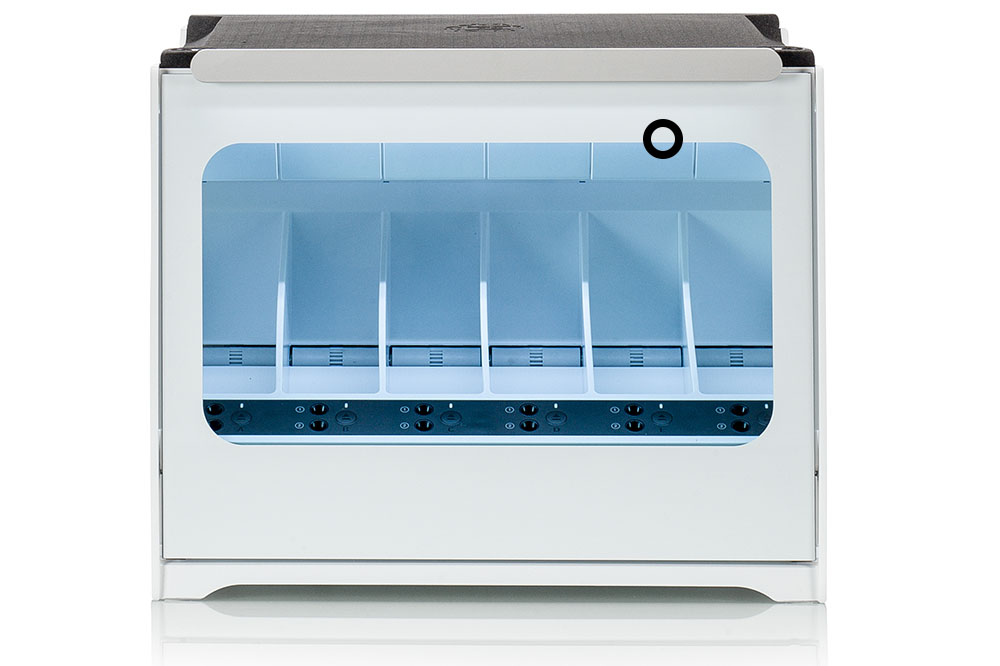 | 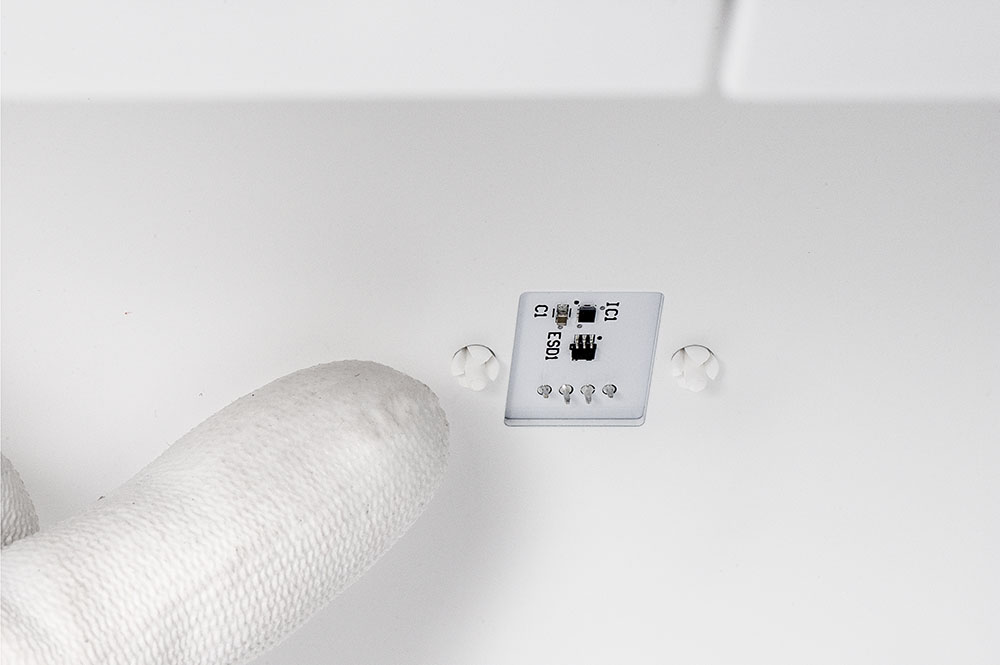 |
| This is the approximate location of the humidity sensor | The humidity sensor as seen from the inside of the Material Station |
Can I adjust the humidity?
No, the set relative humidity inside the Material Station cannot be adjusted. The target for the relative humidity is 25% on S series and 15% on Factor 4. The Material Station will only warn you if the internal relative humidity is over 40% for an extended period of time.
Where can I see the current humidity?
Factor 4
On Factor 4, you can check the current humidity inside the Material Station in the Diagnostics menu. Open the Options menu (gear icon) and navigate to Maintenance → Diagnostics → Temperature sensor overview. This shows the current temperature and humidity readings.
S series
On S series, the humidity values are not shown in the printer menu. If you want to check the detected humidity values, you can check the logs. Save the log files of your printer to USB. Unzip them and open the file named 'misp_data.log'. This will give an overview of all detected humidity values, including timestamps. Alternatively, if you type the IP address of your printer in a browser, you can access the event logs. Search for 'humidity' to see the latest values.
Will the Material Station dry my materials?
The Material Station is not designed to actively dry the loaded materials. Although there is humidity control, this will only ensure the materials do not absorb more moisture while loaded in the Material Station. It is therefore recommended to store moisture-sensitive materials, such as PVA, in the Material Station immediately after opening the spool or according to the storage recommendations. PVA or other materials that have already been exposed to moisture can be dried according to the instructions in this article.


