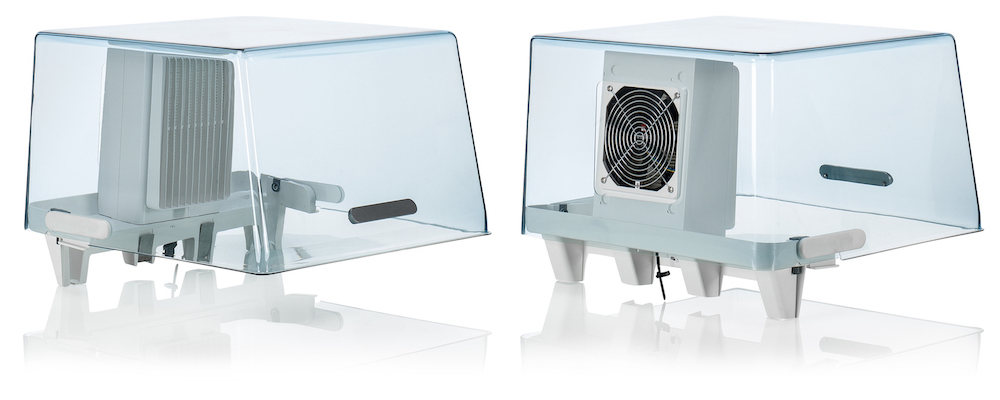
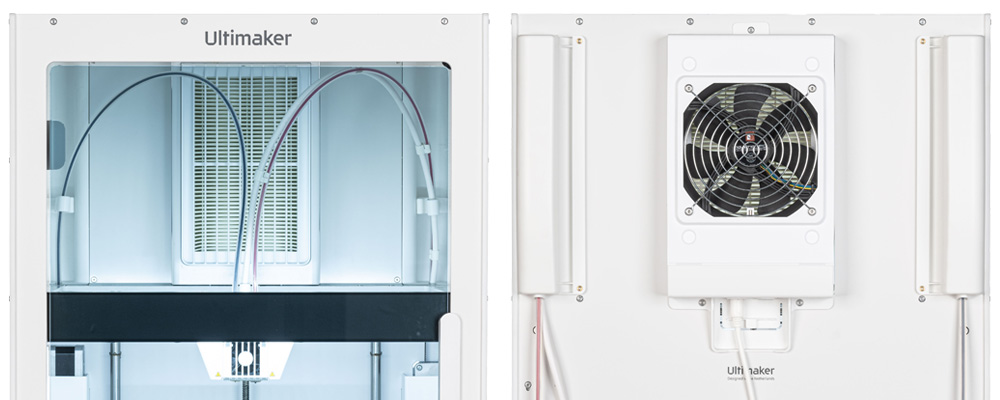
The UltiMaker S Series Air Manager is an optional add-on for the UltiMaker S5 and S6, and an integrated feature on the UltiMaker S7 and S8.
Designed to increase user safety, it removes up to 95% of ultrafine particles and shields users from hot and moving components.
Features
The Air Manager improves the 3D printing workflow and efficiency and offers the following features:
- UFP filtering. The Air Manager encloses the top of the printer and ensures an inside-out airflow. The air passes through an E10 filter, whereby Ultrafine Particles (UFPs) get trapped.
- Optimized material compatibility. The Air Manager will automatically adjust its fan speed to optimize print quality per material.
- Physical barrier. The enclosed top prevents users from reaching into the machine during operation and ensures particles from the environment do not influence the print result.
The Air Manager, together with the Material Station and the printer, form the Pro Bundle. The Air Manager can also be installed on an UltiMaker S5 or S6 without a Material Station.
Compatibility
Printer compatibility
The S Series Air Manager add-on is compatible with the UltiMaker S5 and S6. The UltiMaker S7 and S8 feature an integrated Air Manager, with raised panels and a fully enclosed top. The fan and filter in the integrated Air Managers are the same as in the add-on.
The Air Manager can be used just with the printer, or also in combination with the Material Station. When used with the Material Station, the Air Manager connects to the printer via the Material Station, instead of directly.
Non-compatibility notes
- The Air Manager is not compatible with the UltiMaker S3.
- The S Series Air Manager is not compatible with the UltiMaker 2+ Connect (although it uses the same filter); see this article instead: UltiMaker 2+ Connect Air Manager.
- The S Series Air Manager is not the same as and does not share compatible components with other air management and filtration systems for other UltiMaker or MakerBot products, such as the Factor Series HEPA filter, or the Method CleanAir.
Material compatibility
The addition of the Air Manager does not limit the material compatibility. All UltiMaker materials have optimized settings for the Air Manager fan speed, and many third-party materials do as well. Please see the Marketplace for optimized material profiles.
Tip: If a profile is not optimized, the material can still be used on the S Series printer. The fan will default to 100% unless the parameters are adjusted manually. Learn more here.
Related articles
To learn more about the S Series Air Manager, please see the articles below:


