This article contains information about the PTFE Bowden tube service kit, intended for UltiMaker S series printers in combination with TPU 95A.
Introduction
Some customers have experienced reliability issues when printing with UltiMaker TPU 95A. The printer may display a “Material empty” message, or ER65 on the Pro Bundle, during printing, even when material remains on the spool. This has been reported most frequently for the 'new' UltiMaker TPU 95A, on the 700 g spools.
To improve reliability, UltiMaker has introduced a dedicated Bowden tube designed specifically for TPU 95A. The TPU Bowden tube is made of PTFE, which has a lower friction coefficient than the standard PFA tube. This helps the filament move more smoothly through the extrusion system and reduces the chance of extrusion errors.
Note: This tube is only intended for use with TPU 95A. Other materials have not been verified with this Bowden tube and may not perform as expected. This Bowden tube length (850 mm) is compatible with UltiMaker S5, S6, S7, and S8. The S3 uses a shorter Bowden tube (705 mm).
How to request the Bowden tube
If you are experiencing issues when printing TPU 95A on S series printers, it is recommended to try this alternative Bowden tube (SKU 80-238754). Please contact your local reseller or UltiMaker Support, and provide the following details:
- Your printer model and serial number
- Type of TPU used, including the color and weight variant (700 or 750 g spool)
- A short description of the issue(s) you are encountering
Tip: If possible, include a print project file so our support agents can check the print settings and potentially offer additional advice.
Installation instructions
The TPU Bowden tube is installed in the same way as a standard Bowden tube.
Note: The service kit only contains a single Bowden tube, as this is only recommended for use with TPU 95A. Please install the Bowden tube on the extruder that you typically use for TPU. Other materials could be used with this PTFE Bowden tube, but they have not been verified.
To replace the regular Bowden tube with the PTFE version, take the following steps:
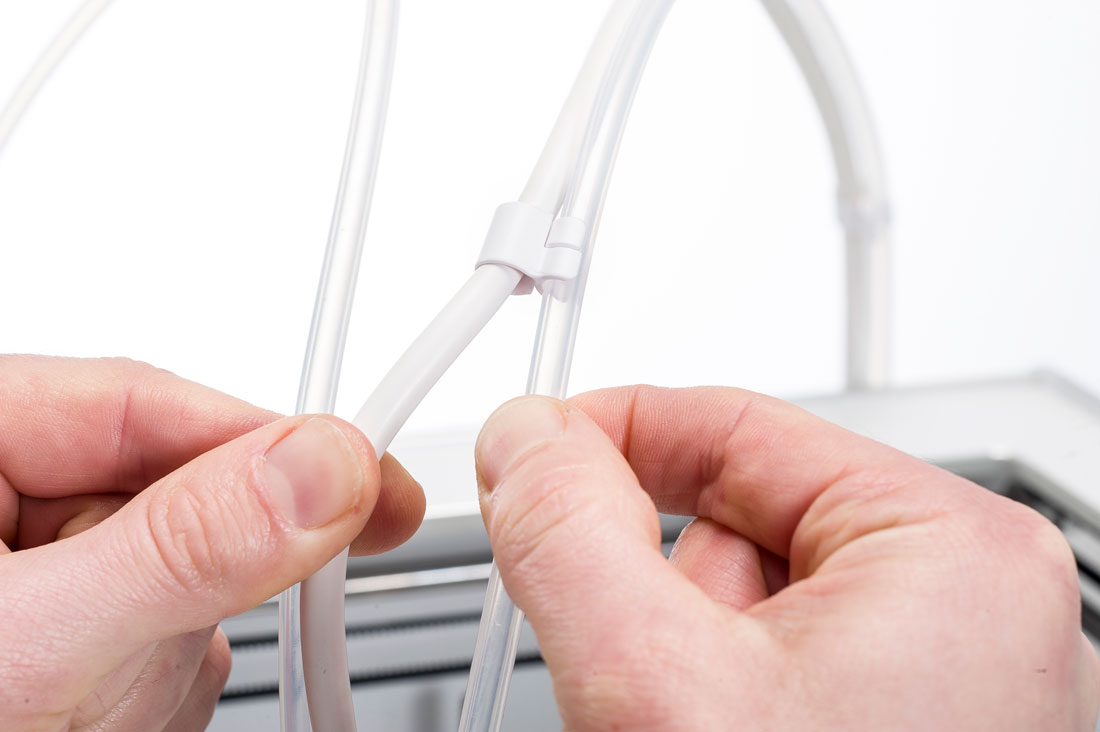 |  |  |
1. Loosen cable clips
When replacing Bowden tube 2, loosen the tube from the print head cable clips. On the S7 and S8, Bowden tube 1 is also connected with a cable clip. | 2. Remove clamp clips
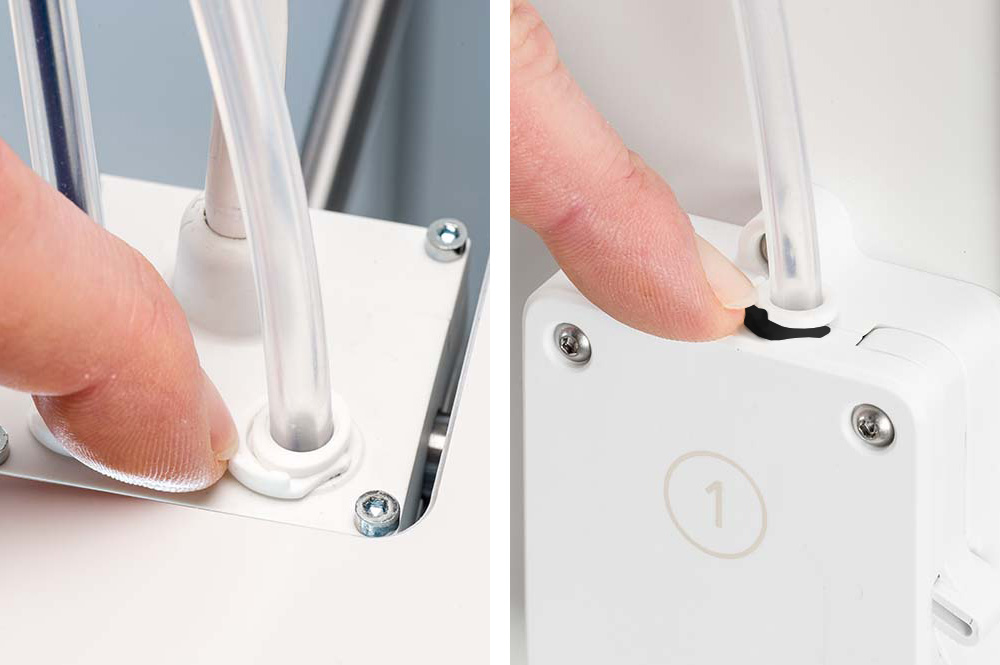
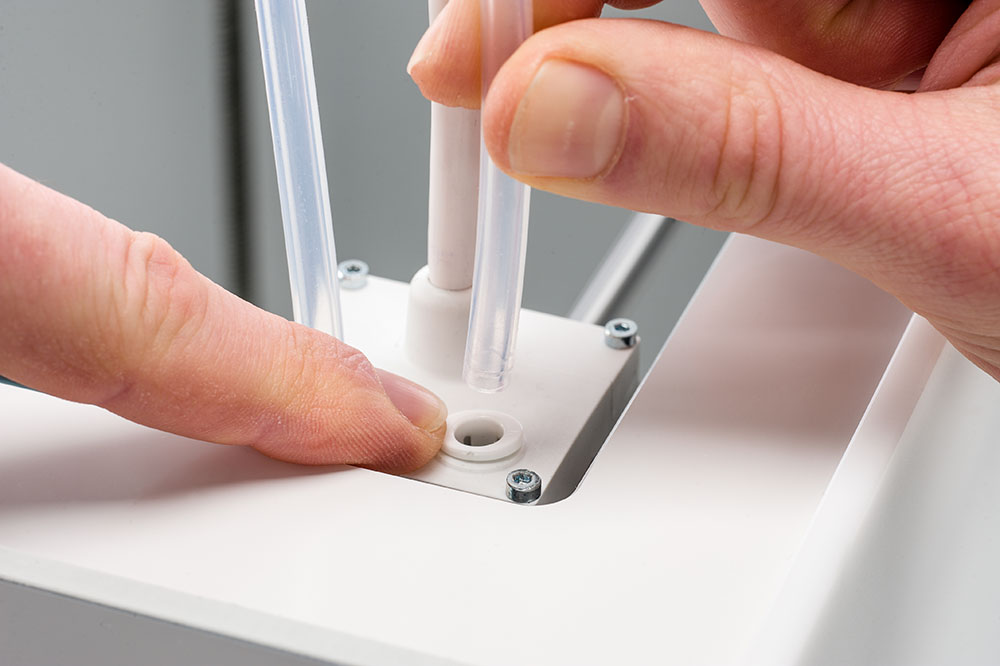
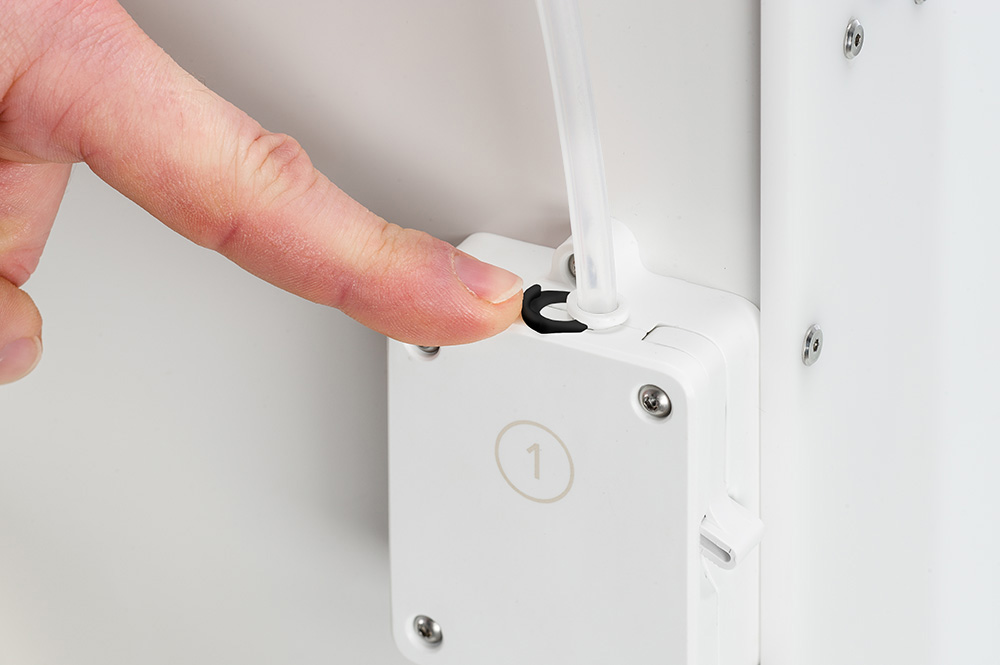
Remove the clamp clips from the feeder and print head. | 3. Remove Bowden tube
While pushing down the tube coupling collet, pull the Bowden tube out of the print head. Repeat for the feeder. |
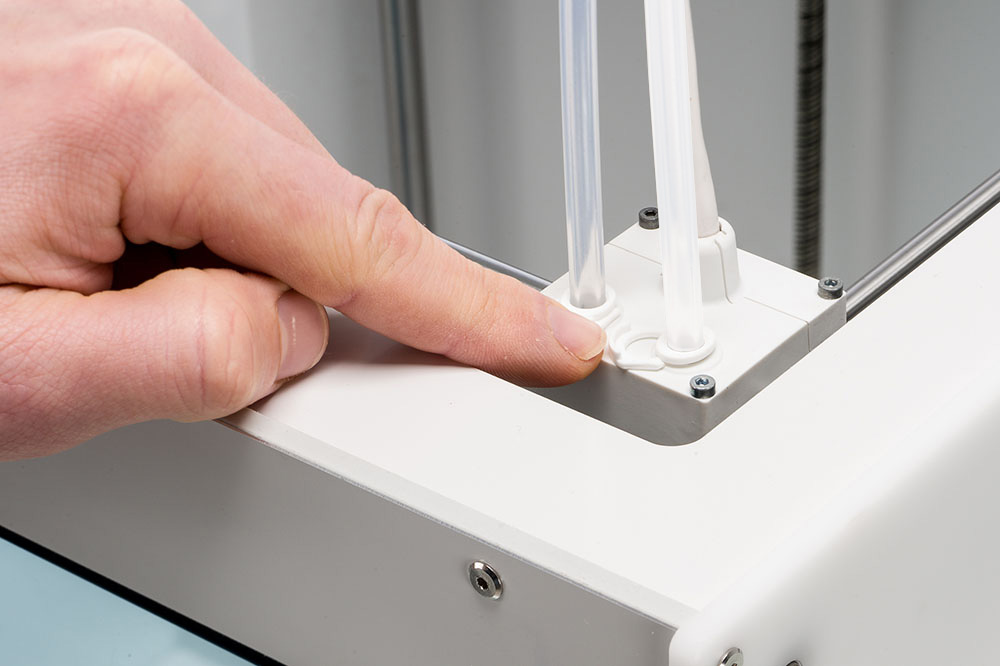 |  |  |
4. Insert into print head
Push one end of the Bowden tube into the collet in the print head. Secure with a white clamp clip. | 5. Insert into feeder
Push the other end into the feeder collet. For printers with an Air Manager, move the tube through the Bowden cover or mounting bracket. Secure with a black clamp clip. | 6. Place cable clips
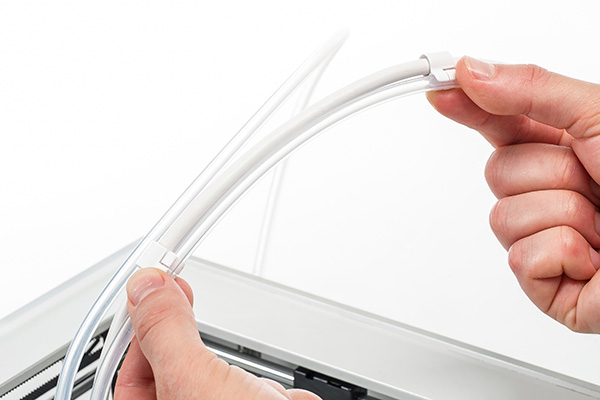
For Bowden tube 2, click the cable clips onto the tube and space them evenly. For the S7 and S8, Bowden 1 is connected with one clip, about 15 cm above the print head. |
Note: Keep the old Bowden tube at hand. If you want to switch to a different material type, it is recommended to install the standard tube again.
Tip: For more detailed instructions, visit this page: S series - Replace the Bowden tubes
This PTFE Bowden tube should provide more reliable results when printing UltiMaker TPU 95A on your S series printer. UltiMaker also continues to investigate improvements in the printing profiles and material properties for a better user experience with TPU.
If you have any further questions, please contact UltiMaker Support.


