The UltiMaker 3 and the UltiMaker S-line printers use print cores. These come in several types and sizes. For an overview of print core and printer compatibility, please visit this page:
Print core and printer compatibility
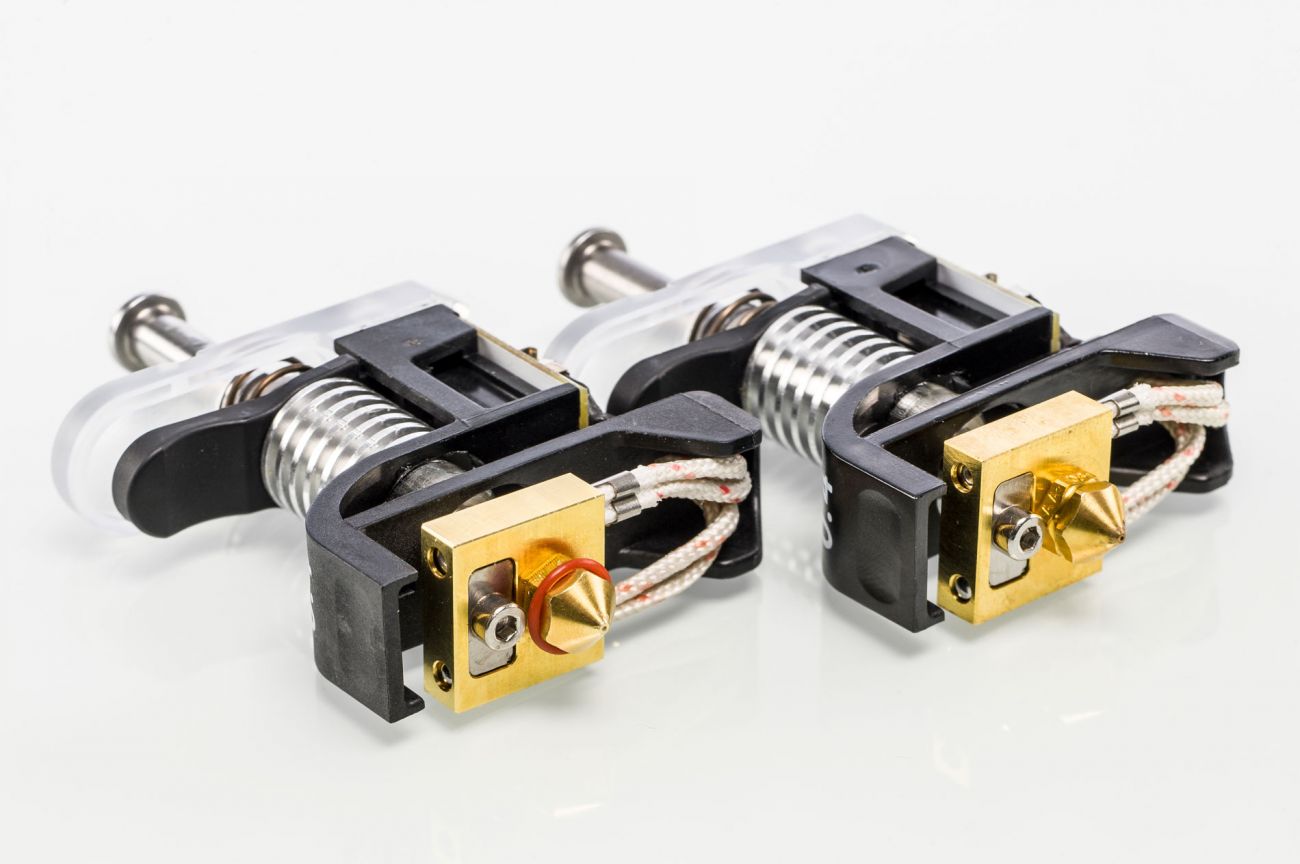
Older generation print cores included a white or red nozzle ring. This ring must be removed before use with the UltiMaker S3, UltiMaker S5, and UltiMaker S7, or with newer generation UltiMaker 3 print heads. The nozzle ring, when used in combination with the thicker, transparent nozzle cover, may prevent the print head fan bracket from closing properly. The thicker nozzle cover creates a tighter seal around the print cores with less space inside the print head. This makes the nozzle ring redundant.
After thorough testing, UltiMaker has determined that even on older generation UltiMaker 3 print heads, the silicone nozzle rings are not necessary for reliability. The nozzle rings were phased out in 2018.
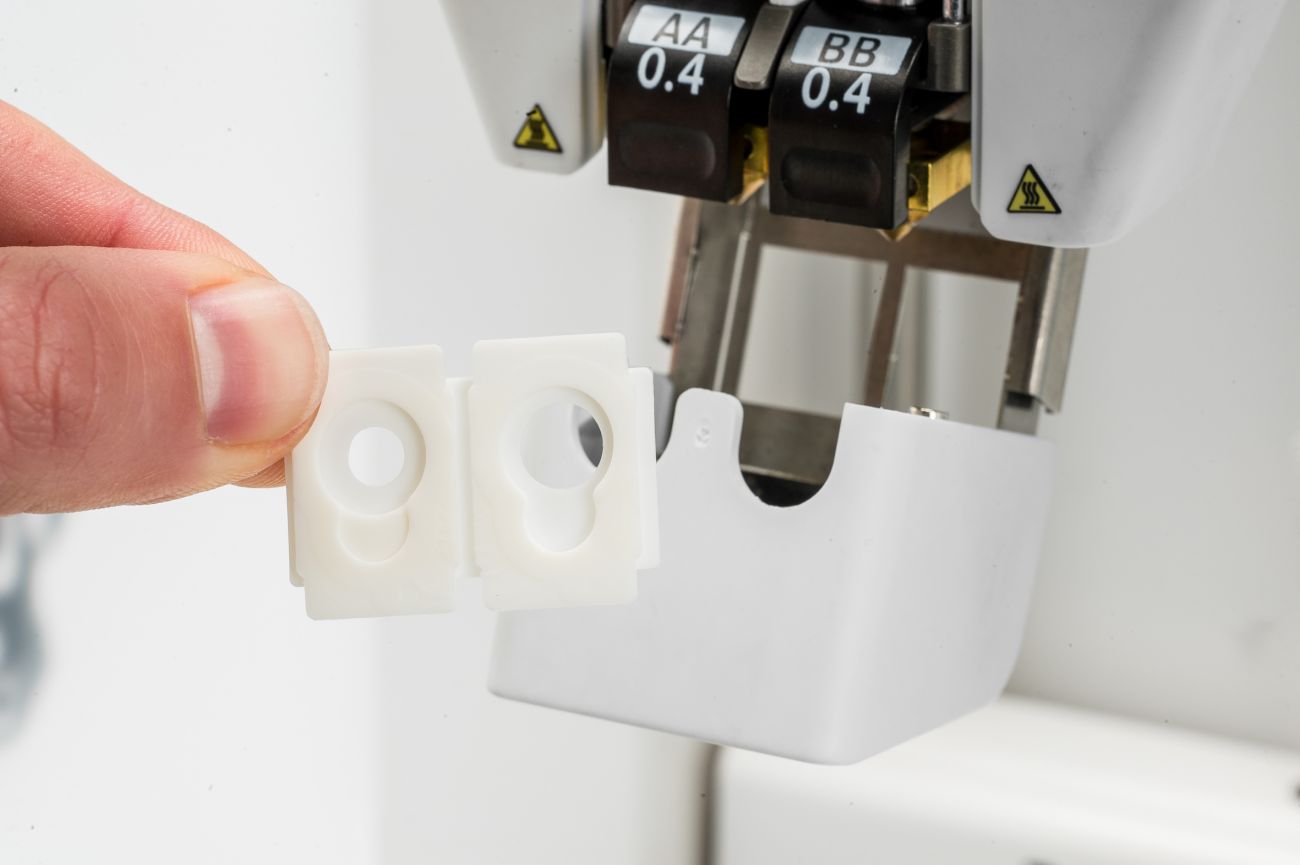 | 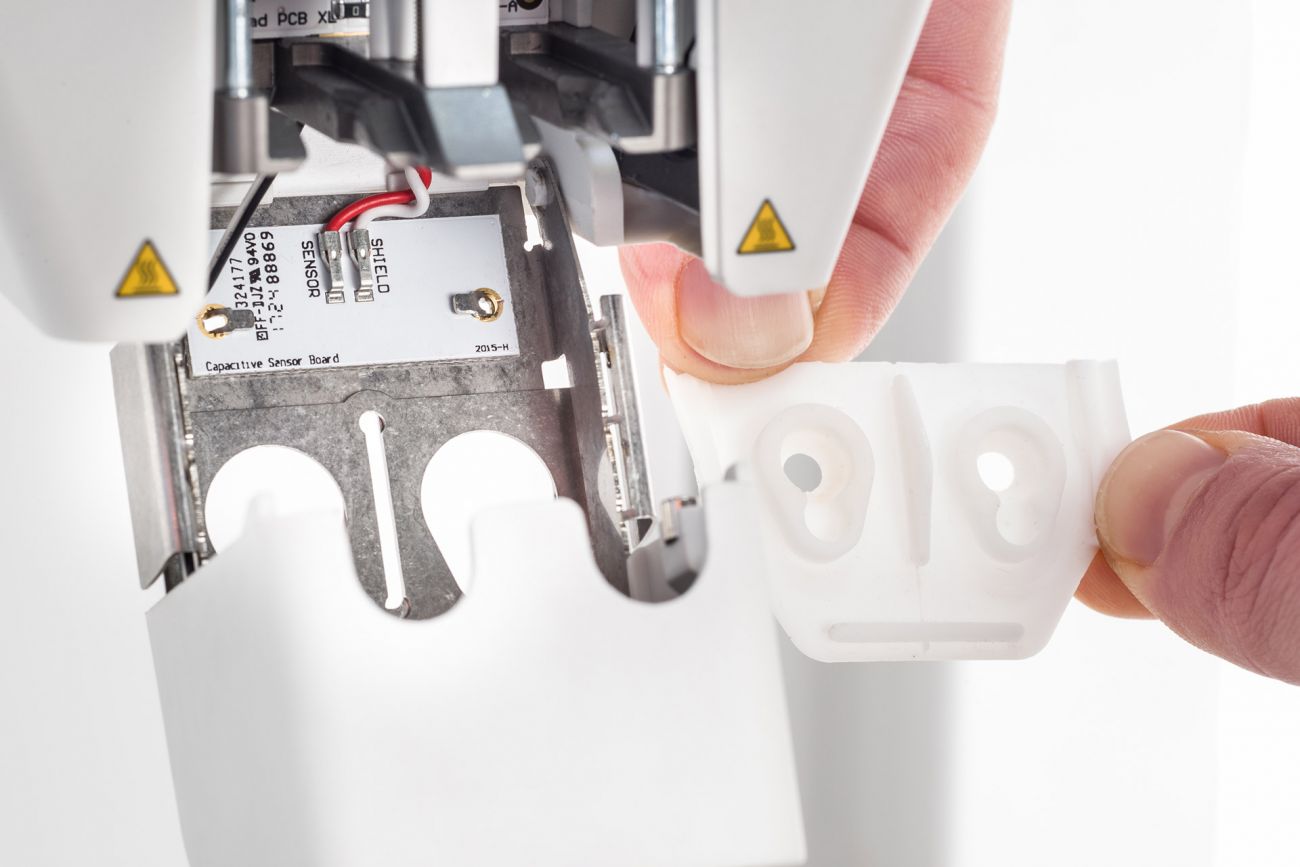 |
| Old-style nozzle cover on the UltiMaker 3 | New-style nozzle cover as used on the UltiMaker S-line, and later generation Ultimaker 3 print heads |
Caution: Using a print core with a nozzle ring on the UltiMaker S3, UltiMaker S5, UltiMaker S7, or the new version of the UltiMaker 3 print head may cause the fan bracket to fall open during printing, which can cause damage to your printer.
Note: It is also important that the outside surface of the nozzle is clean. Before inserting a used print core, ensure that there is no nozzle ring or filament residue on the nozzle. Learn more on how to clean the nozzle surface on the Ultimaker 3 or S-line printer.


