Available on: All Plans
Note: Storage limits and certain advanced features are dependent on your subscription plan.
This article provides an overview of the Library, its core benefits, and the features available on different subscription plans.
In this article, you will learn:
- What the Library is and why it's useful.
- The key features of the Library.
- Which features are available on the Free, Education, and Professional plans.
What is the Library?
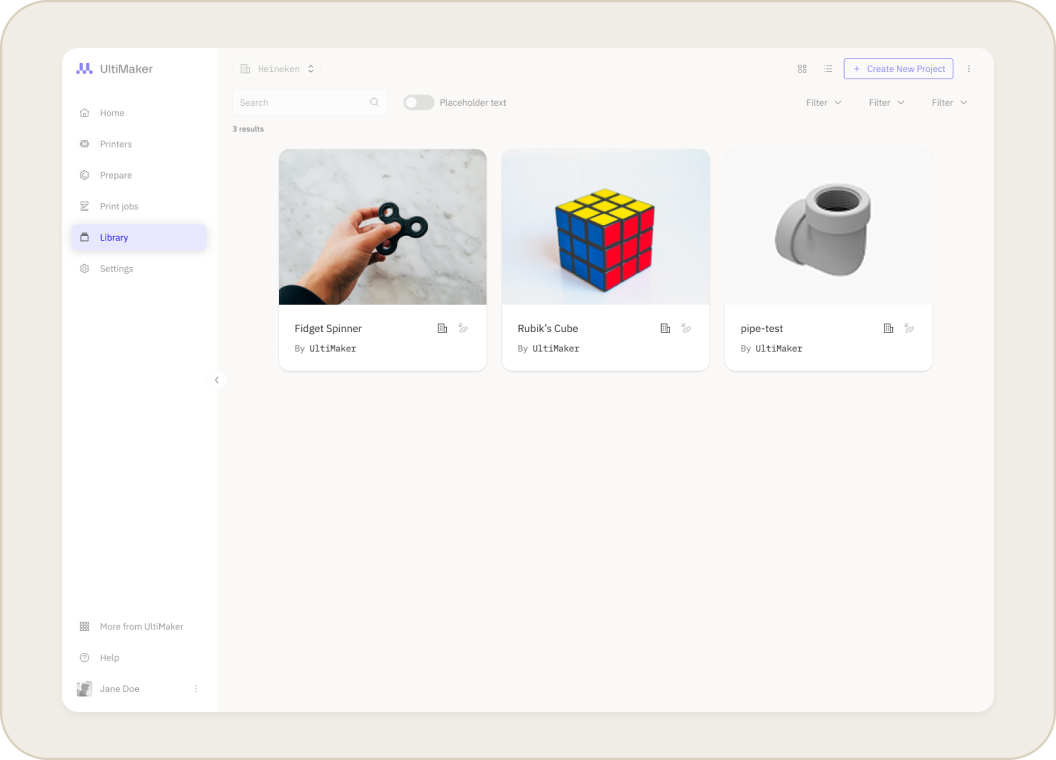
The Library is a centralized, cloud-based hub for organizing all your 3D printing projects. It provides secure, globally accessible storage for your design files, print files, and related documents in one place. All files are stored within Projects, which act like folders to group related files for a specific goal or assignment.
Using the Library ensures your files are stored securely and can be accessed from anywhere. It integrates directly with your printing workflow, allowing you to prepare files in UltiMaker Cura and send them directly to your printers.
Key Features of the Library
- Upload and organize files: Add print files directly from the Prepare section, Cura (desktop), or upload models and other documents through your web browser. Files are organized into projects to keep all assets for a design together.
- Preview and manage content: The Library provides 3D model previews and shows key details like the material and print settings used, helping you verify you have the right version at a glance.
- Collaborate and share: On supported plans, you can share projects with team members or students in your workspace to encourage collaboration and re-use of proven designs.
- Tag and filter projects: Administrators can define custom tags to categorize projects. You can then use filters to quickly find the parts you need as your library grows.
Library Features by Plan
While the Library is available to all users, some features depend on your subscription plan.
- Free Plans:
- Ideal for managing a smaller set of files
- You can create a limited number of projects with a limited number of files per project.
- Print Submission Links for external collaborators or students to send files from outside the workspace.
- Paid Plans
- Offers additional projects and storage with multi-user collaboration features.
- Unlimited files per project
- All advanced Library capabilities are enabled, including project requirements and business value calculation.
Note: The core Library features for PRO and EDU plans are the same. Both allow for unlimited projects, team sharing, and version control. The primary difference is how the features are applied in a classroom versus a business context.
Related Articles


