Print settings are the input for UltiMaker Cura to form the printing strategy to print your 3D models. The print settings can be found in the Print settings panel during the Prepare and Preview stages.
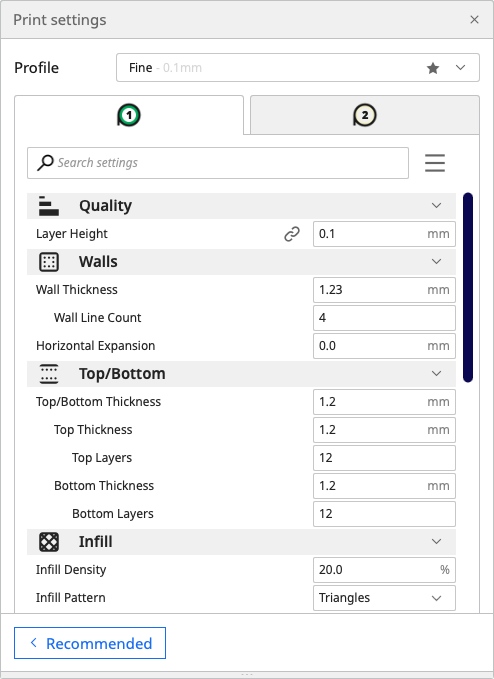
Each print setting contains a parameter that controls your printing strategy when converting your models into g-code for the 3D printer to understand. All parameters combined form the printing profile.
Tip: Print profiles can be adjusted, saved for later use, exported, and shared using the profile manager or quick menu. Learn more about managing print profiles here.
UltiMaker Cura usually hides most of the print settings as it will show the Recommended mode by default. If you want to work with all of Cura's settings to optimize your print strategy, access the Custom mode. Here, you can choose between several setting visibility options (Basic, Advanced, Expert, or All) or create your own view.
Learn more about working with Cura's Custom mode here, or visit this topic to get an in-depth explanation about all of Cura's settings.
Tip: Consider installing the plugin Settings Guide by Ghostkeeper. This will give a detailed explanation of the settings within the UltiMaker Cura interface.


