The information in this article applies to UltiMaker S series printers, including the UltiMaker S3, S5, S6, S7, and S8.
Note: The process and instructions for the UltiMaker 2, 3, and Factor series are very similar, but may be different for the Method and Sketch series. For the most accurate information, visit the section for your specific printer type.
The lead screw is connected to the Z motor and controls the movements of the Z stage. To ensure smooth movement of the Z stage, it is recommended to periodically apply grease to the lead screw. Over time, grease may need to be reapplied to maintain consistent and accurate movement of the Z stage.
Check the lead screw once every three months and reapply the grease when necessary. A tube of grease is included in the accessory box of your UltiMaker S series printer.
Note: For optimal results, this maintenance action should be performed at least every three months on all S series printers. However, for printers with the flexible build plate (S6 Flex, S7, and S8), this is especially important to prevent problems. Due to the increased weight of the Z stage compared to the S3 and S5, the build plate may get stuck or drop unexpectedly if this maintenance action is not performed timely.
Maintenance instructions
Caution: Before you start, turn off the printer or ensure it is disabled in the UltiMaker Digital Factory to prevent new print jobs from starting remotely.
- Make sure that the build plate is positioned at the bottom of the printer.
- For the best results, first, wipe off as much of the old grease as possible. Dust and other particles may have accumulated in the grease. Use a cloth or paper towel.
- Apply a small amount of new grease to the lead screw of the Z motor.
- Move the build plate up and down to evenly distribute the grease. This can be done manually, or via the Configuration → Build plate menu. Select Raise and then Lower to move the build plate up and down.
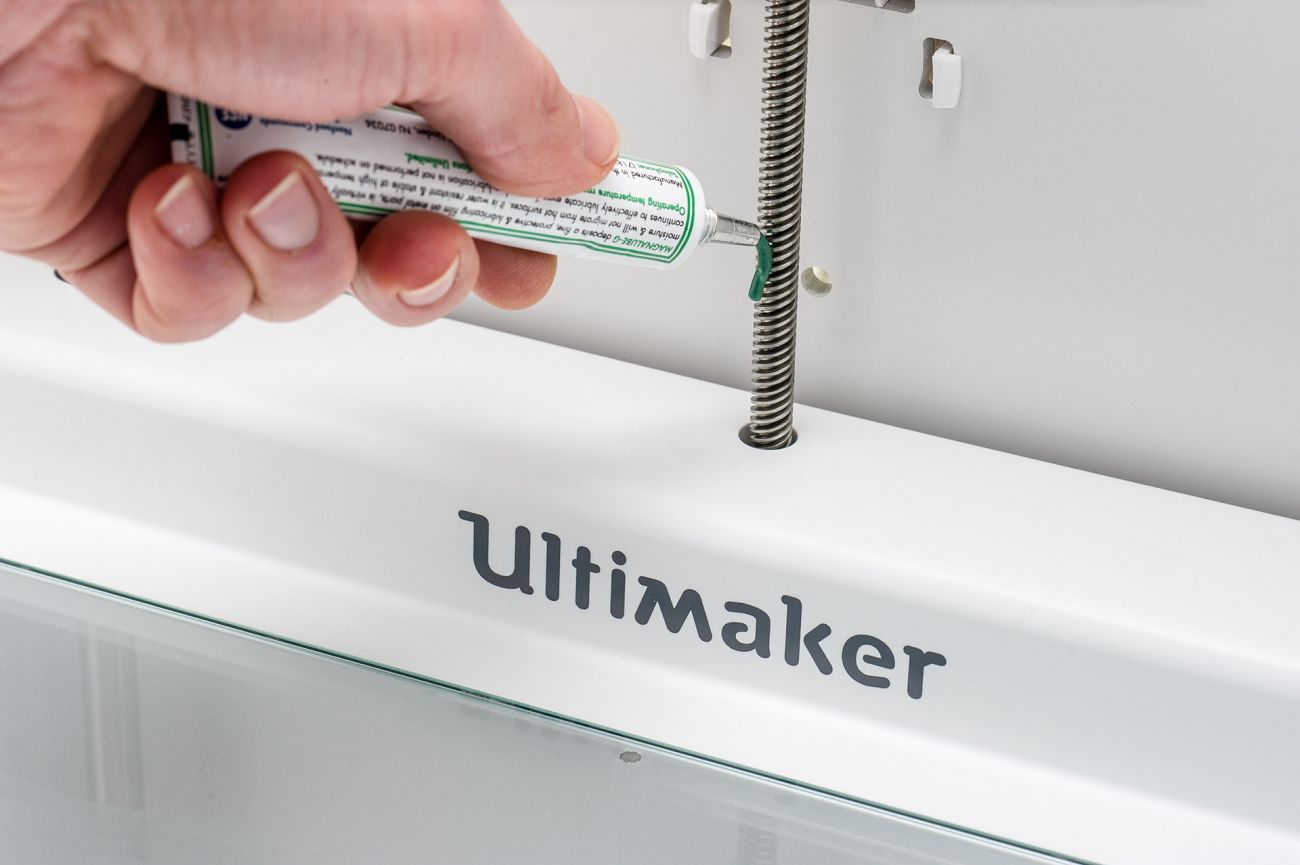
Note: Never use the grease on the smooth axles on either side of the build plate or in the gantry. This will affect the performance of your printer. If you have done so accidentally, make sure to thoroughly clean the shafts before applying the oil for relubrication.
Tip: The image above shows Magnalube grease, which has a green color. In 2022, UltiMaker switched to a different brand of grease (Eurol). Both grease types can be used for maintenance of your UltiMaker S series printer. When switching between grease types, it is recommended to clean the lead screw first, as described in step 2 of the instructions above.


