The information in this article applies to the UltiMaker S series Air Manager (add-on). This is not applicable to the UltiMaker S7 or S8, as the Air Manager is integrated into the frame of these printers.
In some cases, it may be necessary to uninstall the Air Manager, for example, for transportation or maintenance reasons. Special tools are included in the Air Manager accessory box to remove the Air Manager from the UltiMaker S5 or S6. Using these tools, the entire Air Manager can be removed without needing to disassemble the individual components.
Tip: If you no longer have the removal tools, download this STL file to print replacements.
Note: If you must remove/replace the filter housing because of technical issues, then the other components do not need to be removed. Follow the instructions on this page instead.
Instructions
- Turn off the printer using the power switch at the back.
- Disconnect the Air Manager cable from the Air Manager and from the UMB OUT port on the back of the printer or the Material Station.
- Take the two removal tools and align them with the leaf springs in the mounting bracket.
- Insert the removal tools behind the leaf springs.
- Push upwards until you hear a click.
- Gently lift the entire Air Manager off the printer.
|
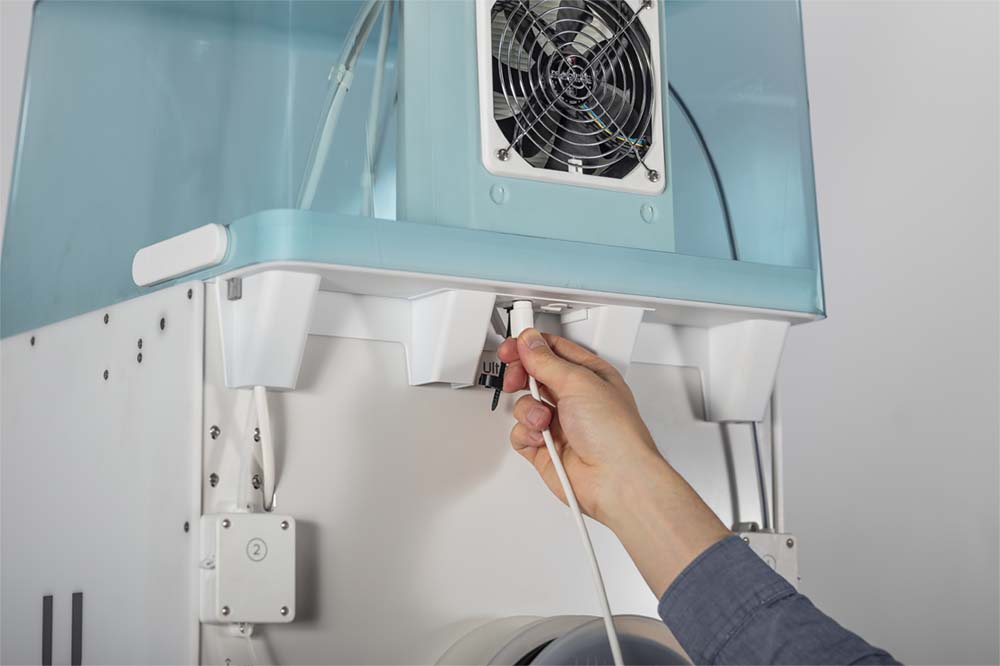
Disconnect the Air Manager cable
|
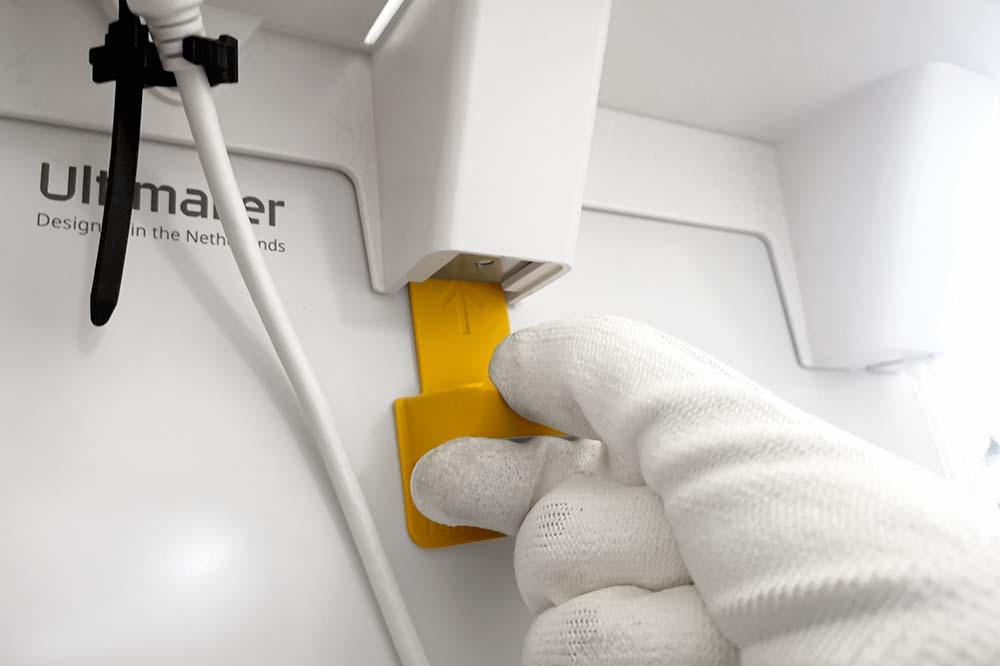
Insert the removal tools behind the leaf springs
|
Upon rebooting the Ultimaker S5 or S6, a pop-up will appear on the touchscreen informing that the Air Manager has been disconnected. Select Yes to confirm the removal of the Air Manager.
Caution: Do not disconnect the Air Manager cable from the UMB OUT port without removing the Air Manager from the UltiMaker S5 or S6. Printing while the Air Manager is installed but not connected can damage the printer because the temperatures inside the build volume will become too high.


