The information in this article applies to the S Series Air Manager. The Air Manager is an optional add-on for the UltiMaker S5 and S6, and an integrated feature on the UltiMaker S7 and S8.
Introduction
The filter in the Air Manager is a consumable part. It should be replaced every 1,500 printing hours to maintain proper filtering. Replacement filters can be purchased from one of our local resellers.
Caution: Do not change the filter of the Air Manager while the fan is in operation. Use the filter replacement procedure in the printer's menu. Alternatively, turn off the printer or disable the printer in UltiMaker Digital Factory to make sure the fan cannot start unexpectedly.
The function of the Air Manager's filter is to reduce the emission of ultrafine particles. These particles will remain in the filter. The used filter should be handled with care during the replacement procedure. If the used filter is not properly handled, there is a risk of ultrafine particles being released.
Instructions
To replace the Air Manager filter, select the Options menu (gear icon) on the display, and navigate to Maintenance → Air Manager filter → Replace and follow the steps on the display:
- Open the glass door(s) and wait for the printer to prepare the filter replacement procedure.
Tip: On the Air Manager add-on for the UltiMaker S5 and S6, you can also open the transparent cover to reach the filter.
- Take out the used filter by pulling the tab on the filter towards you and removing it from the filter housing.
- Directly place the used filter in a (resealable) bag and close it.
- Insert the replacement filter into the filter housing and gently push it. Select Confirm when the filter is completely flush.
- Close the Air Manager to finish the placement and select Finish when done.
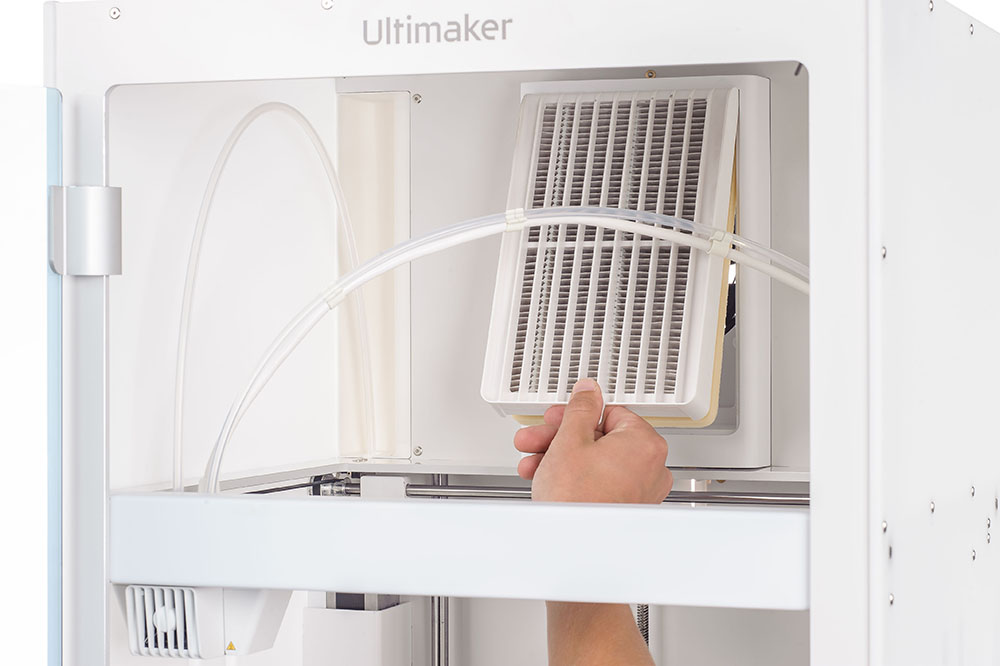 | 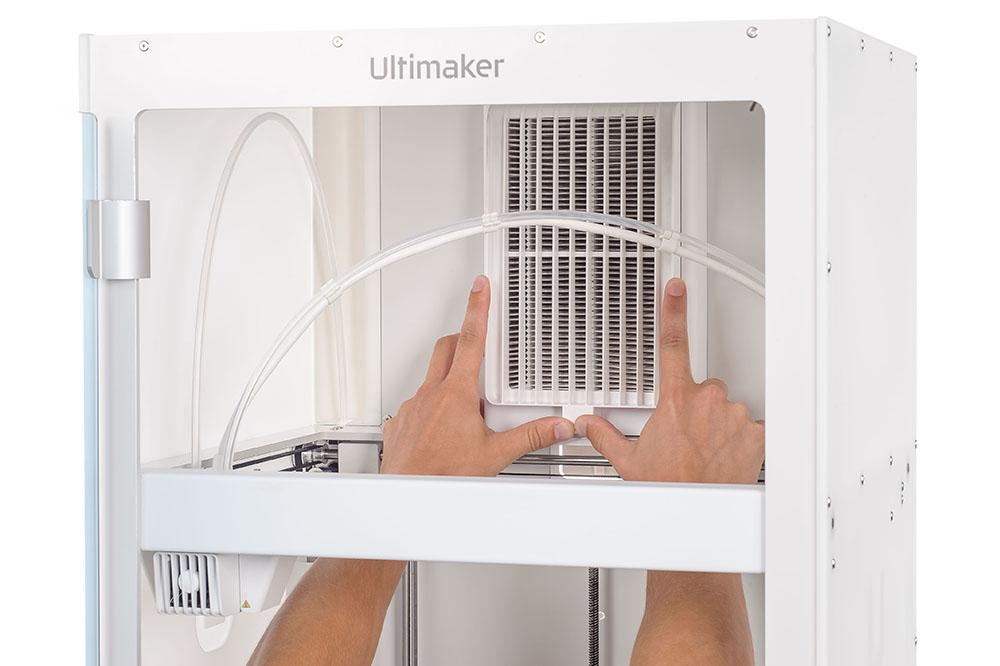 |
| Pull the tab to remove the used filter | Push the new filter flush in the housing |
When replacing the Air Manager filter using this procedure, the filter usage counter will be reset. If you have replaced the filter while the printer was turned off, you can reset the manually using the Reset option.
Tip: The filter in the sealed bag can be disposed of with your regular household waste. However, it is recommended to check local waste disposal regulations.


