Availability
Applies to: Users with legacy Personal accounts
Note: This migration upgrades your account to our free Essentials plan, giving you access to the full features of a Digital Factory workspace.
This article explains why users with legacy Personal accounts are being prompted to create a workspace and guides you through the simple, one-time process.
In this article, you will learn:
- Why you need to create a workspace
- How to migrate your account
- What happens to your existing printers and projects
Why You Need to Create a Workspace
To improve functionality and provide access to new features, we are phasing out older Personal accounts in favor of the modern workspace structure. A Digital Factory workspace is required to manage your printers, store projects, and use cloud-connected features like sending print jobs directly from UltiMaker Cura.
This one-time migration is free and ensures you have continued, uninterrupted access to the Digital Factory platform.
How to Migrate Your Account
Follow these steps to create your new workspace. This prompt will appear whether you are logging in on the web or connecting through UltiMaker Cura.
- Log in to your UltiMaker account.
- In the pop-up window that appears, click the Create Workspace button to begin.
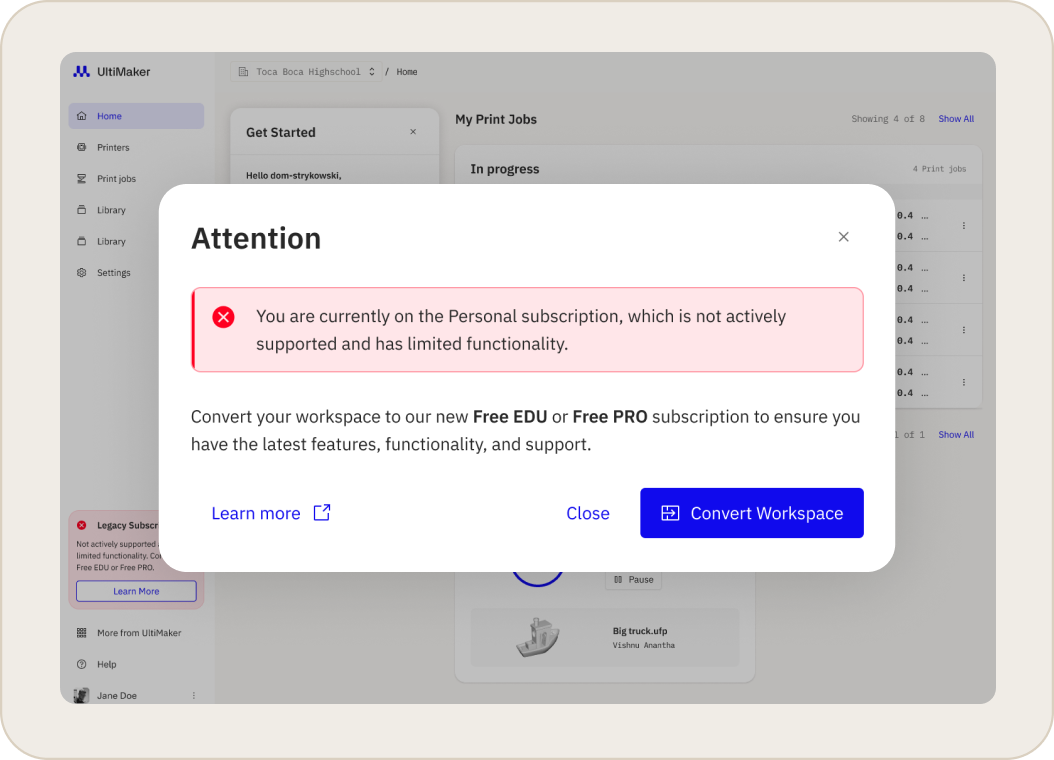
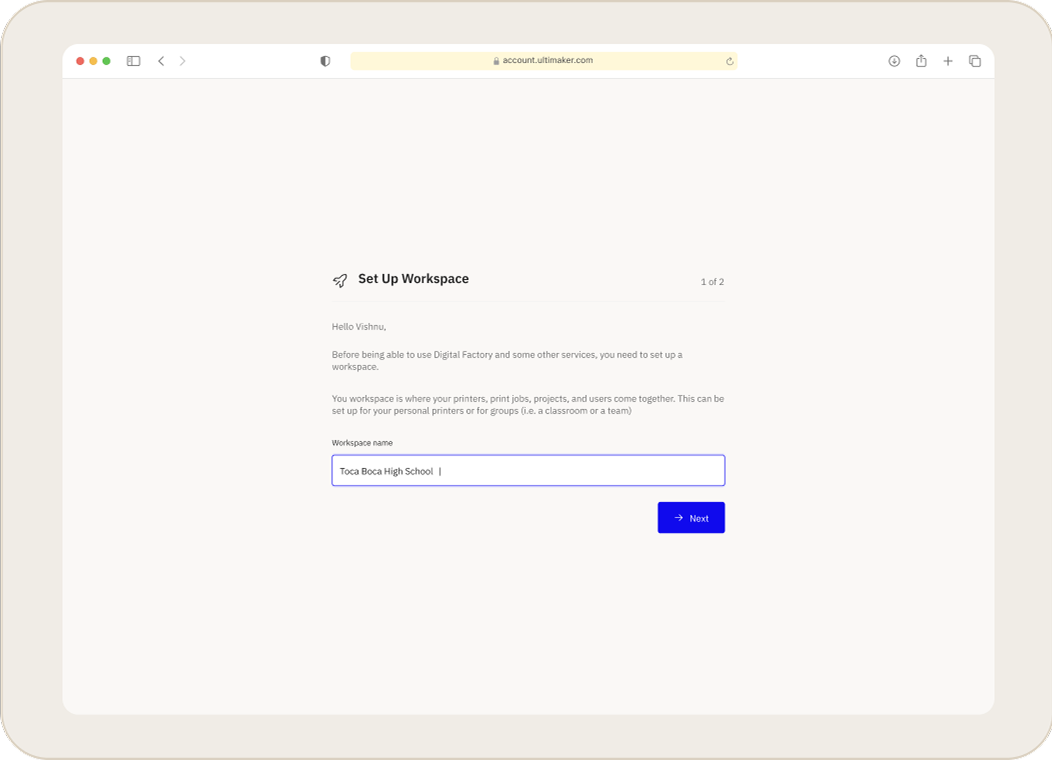
- Follow the on-screen steps to give your workspace a name and choose a workspace type (e.g., Professional or Education)
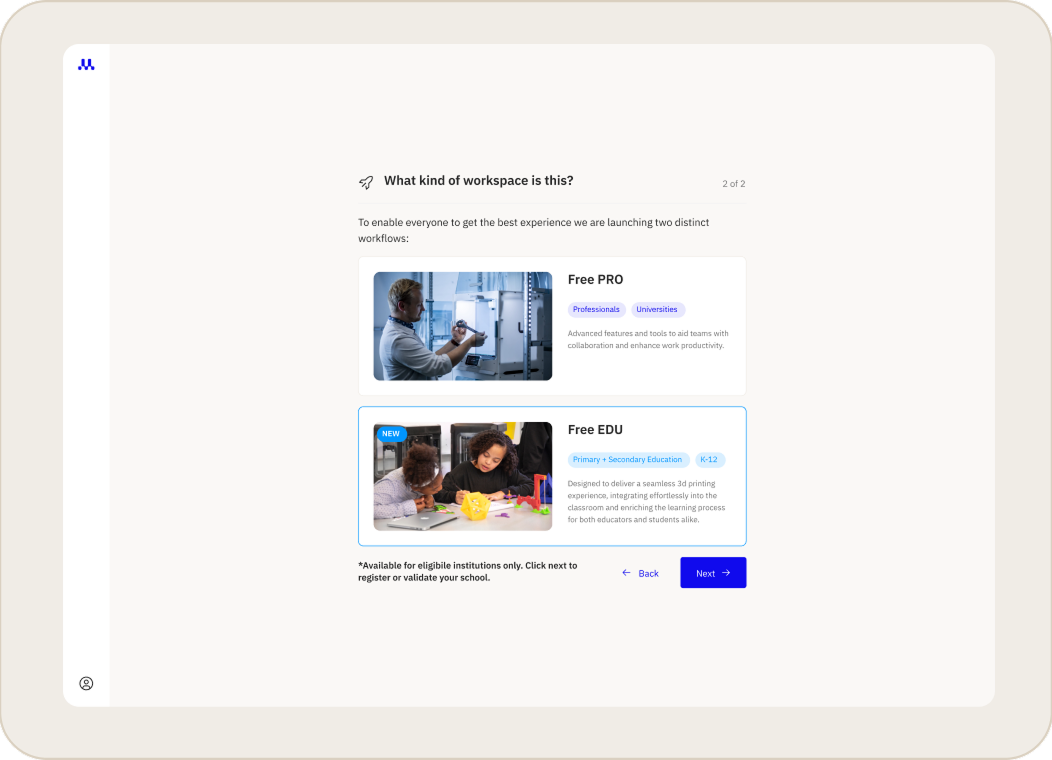
- Once confirmed, the migration is complete. You will be logged in, and your printers and projects will be available in your new workspace.
Frequently Asked Questions
What happens to my existing printers and projects? Your data is safe. All printers registered to your account and any projects you have saved will be automatically moved to your new workspace.
Can I skip this step? Yes, you can temporarily bypass this process by clicking the Skip button. However, you will be prompted to create a workspace each time you log in. This option will be removed after April 1st, at which point creating a workspace will be mandatory to access your account.
Related Articles


